Written by the E-Insure First Content Team | Reviewed by Sunil Goyal, Director, E-Insure First | Last updated: September 2026
Quick Answer
To log in to Medi Assist, use the current MAven portal or the login route provided by your employer or Medi Assist. Depending on your policy and employer setup, you may sign in using your registered mobile number, email, SSO credentials, or other account credentials. After signing in, you can access policy details, e-card services, claim status, network hospitals, and reimbursement-related services.
If you're specifically looking for your claim progress, see our guide on Medi Assist claim status for the available checking methods
What is the Medi Assist Login Portal?
The Medi Assist portal is where policyholders manage their health insurance benefits directly, including checking claims, downloading documents, and finding hospitals, without calling customer care for every small task. Medi Assist Healthcare Services Limited administers claims on behalf of over 30 insurer partnerships, mostly for corporate group health policies. It also serves individual policyholders and employees covered under employer-sponsored health plans.
Individual retail policyholders log in with personal Member IDs. Corporate employees typically access the same underlying system through their employer's benefits portal, often via single sign-on rather than a separate Medi Assist password. The exact options available after login can vary depending on your policy, employer setup, and account type.
How to Log In to the Medi Assist Portal (Step-by-Step)
Login Through the Member Portal
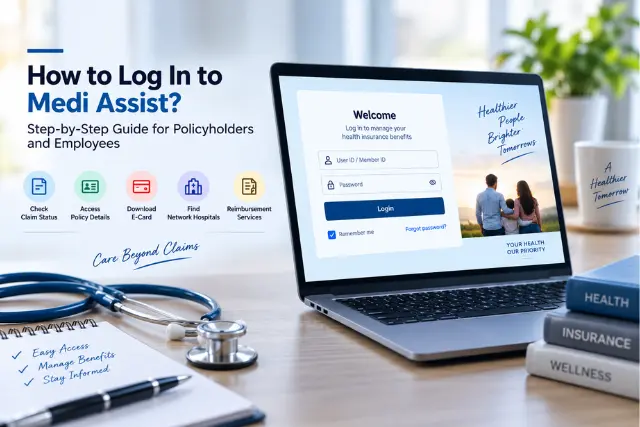
Here's the standard Medi Assist login online process for individual and retail policyholders:
- Visit the official Medi Assist member portal/MAven.
- Enter your User ID or Member ID.
- Enter your password.
- Verify with OTP if prompted, sent to your registered mobile number.
- Access your dashboard, showing claims, policy details, and quick actions.
Corporate SSO Login: TCS, Infosys, IBM & Other Employers
If your employer provides health insurance through Medi Assist, you may be asked to access Medi Assist through your company's HR, benefits, or employee self-service portal. In that case, your employer's SSO credentials may authenticate you without requiring a separate Medi Assist password.
If you cannot find the Medi Assist link, check your company's HR or benefits portal or contact your HR/benefits team.
If your employer uses SSO:
- If SSO is set up for your company, you generally won't need a separate Medi Assist password. Your corporate credentials handle authentication.
- The exact link lives inside your company's internal HR system (sometimes called a benefits portal, employee self-service, or intranet health page). It's not something Medi Assist publishes publicly, since it's specific to each employer's integration.
- If SSO returns an error saying your data isn't synced, that's usually a linkage issue between your company's HR records and Medi Assist's system, not something you can fix yourself. Your company's HR or benefits team needs to raise it with their Medi Assist account manager.
- If your employer hasn't set up SSO, you'll use the standard Employee ID and password login on portal.mediassist.in instead, with your Employee ID typically shared via your corporate email at enrolment.
Because employer SSO links are usually private, contact your HR or benefits team if you cannot find the Medi Assist login option.
How to Register for a New Medi Assist Account
If you're a first-time user without existing credentials:
- Eligibility: You'll need an active policy with Medi Assist as your TPA, either individually purchased or through an employer.
- First-time registration: If you are a first-time user, follow the registration or account-access options shown on the current Medi Assist/MAven portal. Depending on your policy, you may need to verify your mobile number or email and connect your policy using the details provided by your insurer or employer.
- Mobile number verification: An OTP confirms your registered mobile number matches your policy records.
- Password creation: Set a password meeting the portal's security requirements.
- Account verification: Once verified, your account activates and you can log in immediately.
Information Required for Medi Assist Login
| Login detail | When it may be needed? |
| Registered mobile number | For mobile/OTP login |
| Email address | For supported email login |
| Password | If your login method uses a password |
| SSO credentials | If your employer uses SSO |
| Policy/member details | When linking or identifying your policy |
What Can You Do After Logging In?
- Check claim status in real time
- Submit reimbursement claims directly through the portal. For cashless hospitalisation, you may also need to complete the Medi Assist pre-auth form as part of the pre-authorisation process.
- Download your e-card for hospital visits
- Download policy documents
- View your policy coverage and beneficiary details
- Find network hospitals near you
- Track your full claim history
- Update profile details, including contact information
How to Reset Your Medi Assist Login Password
If you're dealing with a Medi Assist forgot password situation:
- Click "Forgot Password" on the login page.
- Verify your identity using your Employee ID or Member ID.
- Receive an OTP or reset link on your registered mobile number or email.
- Create a new password meeting the portal's requirements.
- Log in again with your new credentials.
Medi Assist Login Not Working? Common Problems & Solutions
| Problem | Solution |
| Incorrect password | Use the Forgot Password reset flow |
| Invalid Member ID | Verify the exact ID against your policy document or ID card |
| OTP not received | Check mobile network signal and retry after a minute |
| Account locked | Contact Medi Assist support to unlock it |
| Website not loading | Clear browser cache or try a different browser |
| SSO sync error (corporate login) | Report to your company's HR/benefits team to escalate with Medi Assist |
| General technical error | Try again later, or switch to the mobile app |
How to Access Medi Assist on Mobile
Medi Assist's mobile app, branded MAven, mirrors the portal's core features as the portal, including claim tracking, e-card access, network hospital search, and real-time notifications as your claim progresses. Logging in on the app uses the same Member ID or Employee ID and password as the website, and push notifications mean you don't have to keep checking manually for status updates.
Is the Medi Assist Login Portal Safe?
For added security above and beyond your login password, the portal employs OTP verification, so that an attempt to guess or reuse an otherwise stolen password isn’t sufficient for an intruder. Some other behavioural norms are actually more important than the platform's own defenses; don't reveal the OTP to anyone calling from Medi Assist support, even on whatsapp, type the URL into your browser (don't click it from any messages you haven't initiated), ensure you see the correct URL in the address bar, and that there is a lock icon, before entering your credentials. Never share your password or OTP with anyone who contacts you unexpectedly. Use Medi Assist's official website or app when entering login credentials.
When Should You Contact Medi Assist Support?
- You're unable to log in despite a password reset.
- You've forgotten your registered mobile number entirely.
- A claim you filed isn't visible in your account.
- Your policy doesn't appear linked to your login.
- Login credentials shared at enrolment simply aren't working.
- You're hitting a persistent technical error the standard fixes don't resolve.
If you need to understand Medi Assist Insurance TPA Private Limited and the role it plays in managing health-insurance claims, see our detailed guide.
Medi Assist Customer Care
| Channel | Current Details |
|---|---|
| General Helpline | 0120 693 7372 |
| Senior Citizen Helpline | 1800 419 9493 |
| +91 70266 69449 | |
| ask@mediassist.in | |
| Claim Tracking | Official Medi Assist claim tracking service |
| Mobile App | MAven |
For current Medi Assist contact details, check the official Medi Assist contact page before calling, as helpline and support channels can change.
Key Takeaways
- Medi Assist login isn't one single page. Individual members, corporate employees, agents, and hospitals each have a different entry point.
- Large employers typically connect through single sign-on (SSO), so employees log in via their company intranet, not a public Medi Assist page.
- Your Employee ID or Member ID plus password is the standard combination; OTP verification adds a second layer for some accounts.
- Forgotten passwords reset through portal.mediassist.in's Forgot Password flow using your registered mobile number or email.
- Once logged in, you can track claims, download your e-card, and find network hospitals, all from one dashboard.
- If your company isn't using SSO and you don't know your Employee ID, your HR or benefits team is the fastest way to recover it.
Final Thoughts
Medi Assist login can vary depending on whether you are an individual policyholder or covered through an employer. The current MAven platform supports multiple access methods, including mobile/OTP, email/password and SSO for supported users. Once logged in, you can manage policy information, access your e-card, track claims and use other health-benefit services. If you cannot log in, first verify your login method and account details before contacting Medi Assist or your employer's HR team.
Frequently Asked Questions
How do I log in to Medi Assist?
Visit portal.mediassist.in and enter your Member ID or Employee ID and password, verifying with OTP if prompted. Corporate employees at companies with SSO set up usually log in via their internal HR portal instead.
How do I register on the Medi Assist portal?
Use the registration link on the portal, enter your policy or Employee ID, verify your registered mobile number via OTP, and create a password to activate your account.
I forgot my Medi Assist password what should I do?
Click Forgot Password on the login page, verify your identity with your Employee ID or Member ID, and follow the OTP or reset link sent to your registered contact details.
Can I log in using my mobile number?
Your registered mobile number is mainly used for OTP validation to log in through your Member ID / Employee ID and password rather than as your login ID.
Why is my Medi Assist login not working?
An incorrect password or Member ID, an issue with the OTP not getting delivered or a corporate account sync failure due to SSO can cause this problem. Consult the troubleshooting section or write to our support team.
How do I download my health insurance e-card?
Once logged in, the e-card download option is available directly from your dashboard for you and any covered beneficiaries.
Can I check claim status after logging in?
Yes, real-time claim status is one of the core features available immediately after login, alongside your full claim history.
Is there a Medi Assist mobile app?
Yes, it's called MAven, available on the Play Store and App Store, and supports the same login and core features as the web portal.
Can family members use the same account?
Covered dependents typically appear under the primary policyholder's account rather than needing separate logins, though this can vary by policy structure, check your specific plan details.
How do I update my profile?
Profile tools are available on the dashboard after login, letting you update contact information and other registered details directly.
About E-Insure First: E-Insure First is an independent insurance advisory platform led by Director Sunil Goyal, helping Indian policyholders compare, buy and manage general and health insurance policies. This article reflects publicly available information from Medi Assist Healthcare Services Limited as of August 2026, and is updated periodically. Available features and login methods may vary depending on your insurer or employer-sponsored health plan. Always verify account-specific details directly with Medi Assist or your HR team.