Written by the E-Insure First Content Team | Reviewed by Sunil Goyal, Director, E-Insure First | Last updated: July 2026
Quick Answer:
The Vidal Health claim form is a two-part reimbursement document — Part A filled by you, Part B filled by your treating hospital — used when you're claiming money back after paying for hospitalisation yourself. You can download the latest PDF from Vidal Health TPA's official downloads page. Cashless patients don't need this form at all; the hospital handles a separate pre-authorisation form on their behalf. Reimbursement claims should reach Vidal Health within 20 days of discharge, along with your bills, discharge summary, and prescriptions.
Filling out a claim form after a hospital stay is rarely anyone's idea of a good afternoon, and it's easy to lose ten minutes just figuring out which Vidal Health claim form you actually need. This guide walks through the whole thing — which form applies to your situation, exactly what each section is asking for, what to attach, and the small mistakes that quietly get claims rejected. If you've already submitted your documents, you can also learn how to check your Vidal Health claim status to monitor your reimbursement progress online.
What is the Vidal Health Claim Form?
Vidal Health Insurance TPA (IRDAI Reg. No. 016) is the third party who handles health insurance claim settlement of your original insurer. So, the Vidal health insurance claim form is a kind of document through which Vidal Health will get to know all the details when they process your claim where there is no cashless treatment and the insurer will send the amount there.
It's worth being clear on one thing upfront: Vidal Health isn't your insurance company. It's the administrator that verifies your claim and forwards it, but your insurer still makes the final approval call. That's why the form asks for both your policy details and your TPA enrolment details — two different entities are involved in getting your claim paid. If you're unfamiliar with this role, here's a detailed guide explaining what a TPA in insurance is and how it works.
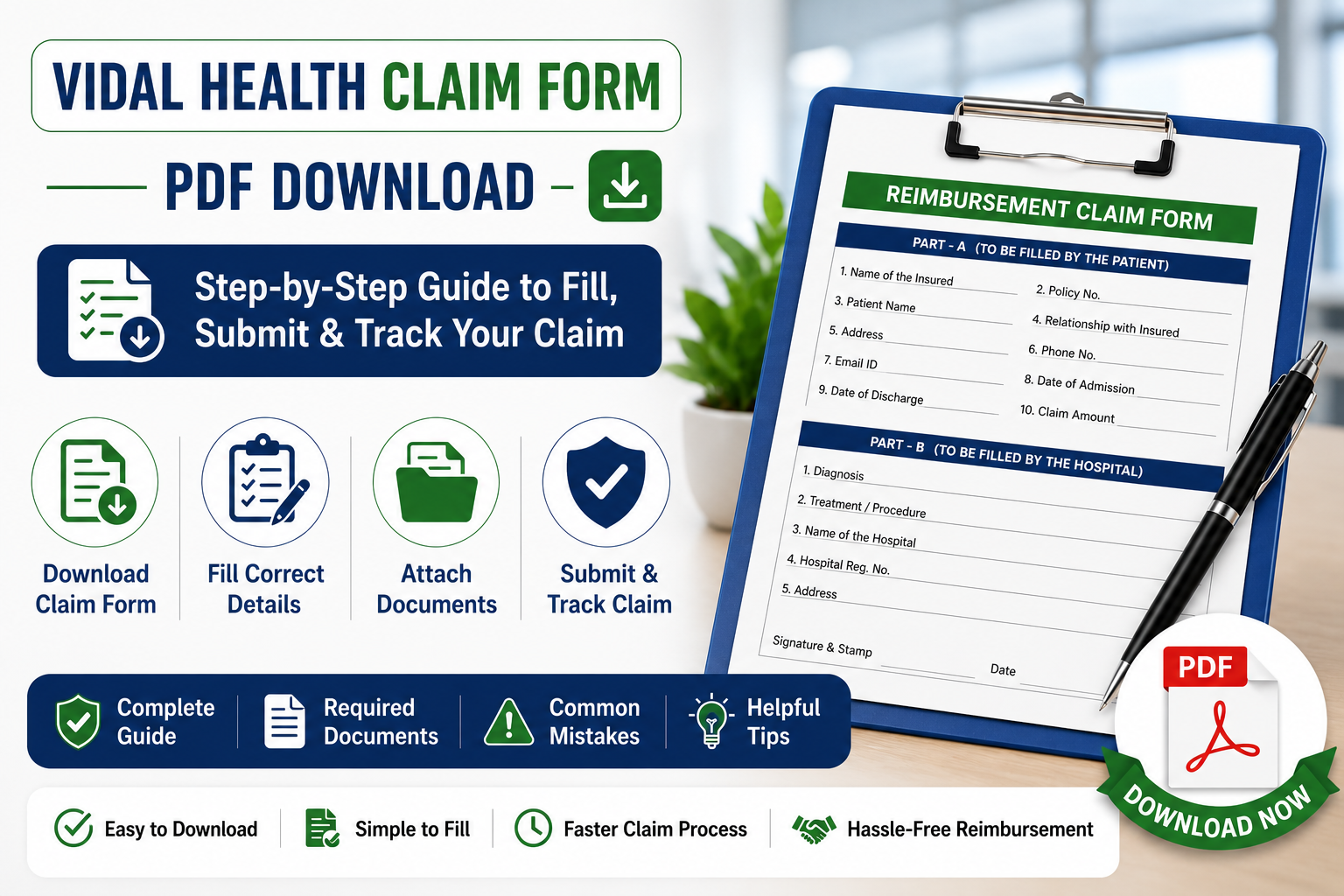
Vidal Health Claim Form PDF Download
Before filling out your reimbursement claim, it's important to download the latest version of the Vidal Health claim form. Using an outdated form can delay processing or result in additional document requests.
Here's what to know about the Vidal Health TPA claim form PDF:
- Where to download: Vidal Health TPA's official downloads section on their website, listed under claim forms.
- Official source only: Third-party PDF-editing sites often host older or slightly modified copies of this form. Always cross-check the version against the one on Vidal Health's own site before submitting.
- Latest version: The current form follows the standard IRDAI-prescribed format — "Claim Form for Health Insurance Policies Other Than Travel and Personal Accident" — split into Part A and Part B.
- File format: Downloadable as a fillable PDF, which can be completed digitally or printed and filled by hand.
Can't find the current version on the official site? Message E-Insure First and we'll send you the correct link.
When Do You Need a Vidal Health Claim Form?
Not every hospital visit needs this form filled out. Here's when it actually applies:
- Reimbursement claims: You paid the hospital bill yourself and are claiming the amount back — this is the main scenario the form is built for.
- Planned hospitalisation without cashless approval: If your hospital isn't in the network, or cashless wasn't arranged in time, you'll pay upfront and reimburse afterward.
- Emergency hospitalisation: Emergencies sometimes bypass the pre-authorisation window entirely, especially if admission happens outside office hours — reimbursement becomes the fallback route.
- Claims after discharge: Even for a cashless case, if there's a gap the hospital didn't cover (say, a non-payable item), you may need to submit a reimbursement form separately for that portion.
One thing to flag clearly: cashless claims don't use this form at all. For cashless treatment, the hospital's insurance desk submits a separate pre-authorisation form directly to Vidal Health — you generally don't fill anything beyond your ID and policy card at admission. If you need to understand that process in detail, read our guide on the Vidal pre-auth form and when hospitals use it.
Types of Vidal Health Claim Forms
Vidal Health uses different forms depending on the type of claim you're making. Understanding which form applies to your situation helps avoid delays and ensures the correct documents are submitted from the beginning.
| Form | Used For | Who Fills It |
| Pre-Authorisation Form | Cashless treatment approval before or at admission | Hospital |
| Reimbursement Claim Form (Part A + Part B) | Claiming money back after discharge | Part A: Policyholder · Part B: Treating hospital/doctor |
| Additional Document Request Form | When Vidal Health needs extra clarification or paperwork | Policyholder |
How to Fill the Vidal Health Claim Form: Step by Step
Filling the claim form accurately is essential because even small mistakes can delay claim processing. The steps below explain exactly what information needs to be entered in each section of the reimbursement claim form.
If you're wondering how to fill claim form Part A Vidal Health requires, here's the section-by-section breakdown:
Step 1 - Patient details: Name, age, gender, relationship to the primary policyholder, and contact information, filled in block letters.
Step 2 - Policy information: Policy number, TPA ID/enrolment number, insurer name, and sum insured details.
Step 3 - Hospital details: Hospital name, address, and registration number — this part typically overlaps with what the hospital fills in Part B.
Step 4 - Treatment details: Diagnosis, dates of admission and discharge, nature of treatment, and itemised expenses.
Step 5 - Bank account details: Account number, IFSC code, and bank branch, exactly as they appear on your passbook or a cancelled cheque, since mismatches here are a common cause of payment delays.
Step 6 - Declaration and signature: A signed statement confirming the information is accurate, dated and signed by the policyholder in the space provided.
Part B - covering diagnosis codes, procedure details, and doctor's registration number — is completed and signed separately by the treating hospital or doctor, not by you.
Documents Required With the Claim Form
Submitting a complete set of supporting documents is just as important as filling out the claim form correctly. Missing paperwork is one of the most common reasons reimbursement claims are delayed or returned for clarification.
| Document | Mandatory |
| Completed claim form (Part A & B) | Yes |
| Original hospital bills | Yes |
| Discharge summary | Yes |
| Doctor prescriptions | Yes |
| Diagnostic reports | Usually |
| Cancelled cheque | Sometimes |
| ID proof | If requested |
How to Submit the Vidal Health Claim Form?
Once you've completed the claim form and gathered all supporting documents, the next step is submitting them through the appropriate channel. Vidal Health offers multiple submission methods depending on your preference and document requirements.
You have a few submission routes, and which one makes sense depends on your situation:
- Through the hospital: Some hospitals with a Vidal Health tie-up will forward reimbursement paperwork on your behalf — worth asking at the insurance desk before you leave.
- Online: Uploaded through the Vidal Health portal where available — the fastest option and best for tracking submission timestamps.
- Email: Scanned copies sent to Vidal Health's designated claims email address, useful when you need a written submission record.
- Courier: Physical documents sent to Vidal Health's processing office — use this if original documents are specifically required rather than scanned copies.
- Physical submission: Dropping documents at a Vidal Health branch or designated collection point directly, if one is accessible to you.
Online or email submission is generally the safer default, since it gives you a timestamped record. Courier or physical submission makes sense only when originals are explicitly requested.
Cashless vs. Reimbursement Claim Form?
Many policyholders confuse cashless and reimbursement claims, but the documentation process is different for each. The comparison below explains when each type of claim form is used and who is responsible for submitting it.
This is the single most common point of confusion, so here it is side by side:
| Cashless | Reimbursement |
| Hospital submits the form | You (the policyholder) submit the form |
| Filed before treatment begins | Filed after treatment and discharge |
| Uses the Pre-Authorisation Form | Uses the Claim Form (Part A + Part B) |
| You pay nothing upfront (if approved) | You pay first, then get reimbursed |
Common Mistakes While Filling the Vidal Health Claim Form
- Missing signatures - Both the policyholder's signature on Part A and the doctor's/hospital's signature on Part B are required — one missing signature stalls the whole form.
- Wrong policy number - A single transposed digit sends the claim searching for a policy that doesn't match, delaying verification.
- Incomplete bills - Submitting a summary bill instead of the full itemised bill is a frequent reason claims bounce back for clarification.
- Missing bank details - An incomplete or mismatched IFSC code means an approved claim still can't be paid out.
- Illegible handwriting - If it's handwritten, print clearly in block letters — unreadable entries get treated as missing information.
- Missing discharge summary - This single document ties together diagnosis, treatment, and dates — without it, the claim can't be assessed properly.
Why Your Claim Form May Be Rejected?
Even when treatment is covered, claims can still be delayed or rejected because of documentation errors or policy conditions. Understanding these common reasons can help you avoid unnecessary delays.
A rejection isn't always about the form itself. Common reasons include:
- Incomplete form: A section left blank, especially in Part A or the declaration.
- Missing documents: Even one absent bill or report can hold up the entire claim.
- Waiting period not completed: Certain conditions have a policy-specific waiting period before they're covered.
- Policy exclusions: Some treatments or conditions simply aren't covered under your specific plan.
- Wrong or inconsistent information: Details on the form not matching hospital records or your policy details.
- Delayed submission: Reimbursement claims are generally expected within 20 days of discharge — check your specific policy wording, since this window can vary.
What to Do if Your Claim Form Is Rejected?
- Read the rejection letter carefully to understand the exact reason cited.
- Contact Vidal Health directly to clarify what's missing or disputed.
- Contact your insurer as well, since they hold the final decision-making authority.
- Resubmit any missing documents promptly if that's the stated reason.
- Request a formal review if you believe the rejection is incorrect.
- Escalate to your insurer's grievance redressal officer if the review doesn't resolve it.
- File a complaint with IRDAI's Bima Bharosa portal as a last resort, if you believe the rejection is unjustified.
If your grievance remains unresolved, you can submit a complaint through the IRDAI Bima Bharosa portal, which handles insurance-related consumer grievances.
How to Check Claim Status After Submitting the Form?
Once your form and documents are in, you can track progress using your enrolment ID, claim number, or registered mobile number on the Vidal Health portal, or by calling customer care directly. We've covered the full process — including what each status stage means — in our detailed Vidal Health Claim Status guide. If your claim is being processed through another TPA, you can also learn how to check your FHPL claim status, as the tracking process is similar across many TPAs.
Submitted your form and want to know what happens next? Read our claim status tracking guide.
Vidal Health Customer Care
| Channel | Details |
| Phone | 080-2800 4114 (national helpline) |
| Missed call to 022-4892 6099 to start a chat | |
| Office Hours | 24/7 helpline, with a dedicated corporate help desk during business hours |
| Official Website | https://www.vidalhealthtpa.com/vidalhealthtpa |
Expert Tips Before You Submit the Form
- Keep photocopies of every original document before you send anything, especially if submitting by courier.
- Scan documents in good lighting and legible resolution if submitting online or by email — blurry scans are a common cause of "resubmit" requests.
- Use your registered email address for any digital submission, since Vidal Health matches correspondence against the email on file.
- Double-check bank account and IFSC details against a cancelled cheque, not from memory.
- Save the acknowledgement or reference number you receive after submission — you'll need it for status tracking.
Expert Note:
This guide has been prepared after reviewing the official Vidal Health TPA claim process, IRDAI claim guidelines, and publicly available reimbursement claim documentation. The information has been verified at the time of publication; however, claim procedures, document requirements, and submission timelines may change, so policyholders should always verify the latest instructions on the official Vidal Health website.
Final Verdict
Getting your Vidal Health claim form right on the first try comes down to a few basics: download the current version from the official site, fill Part A completely and legibly, make sure Part B is properly completed by the hospital, attach every required document, and submit within the claim window. Once it's in, track it through the portal using your enrolment ID or claim number rather than waiting for an update to come to you.
Want a second pair of eyes on your claim form before you submit it? Talk to E-Insure First — no charge for the first review.
Frequently Asked Questions
Where can I download the Vidal Health claim form?
The official PDF is available on Vidal Health TPA's website under their claim forms/downloads section. Always use the version from their official site rather than third-party PDF editing tools.
Is the claim form different for cashless treatment?
Yes. Cashless treatment uses a separate Pre-Authorisation Form submitted by the hospital. The reimbursement claim form (Part A and Part B) is only needed when you're claiming money back after paying yourself.
Can I submit the Vidal Health claim form online?
Yes, where the online submission option is available, it's generally the fastest and easiest route to track, since it gives you a digital timestamp of submission.
What documents are required with the claim form?
At minimum: the completed claim form, original hospital bills, discharge summary, and doctor prescriptions. Diagnostic reports, a cancelled cheque, and ID proof may also be requested depending on the claim.
How long does Vidal Health reimbursement take?
Processing time varies by claim complexity and document completeness. Submitting a complete, accurate form the first time is the single biggest factor in avoiding delays.
Can I edit the claim form after submission?
Not directly. If you notice an error after submitting, contact Vidal Health customer care to correct it rather than resubmitting a new form, which can create duplicate records.
Who signs the Vidal Health claim form?
Part A is signed by the policyholder (or the insured person making the claim). Part B is completed and signed separately by the treating doctor or hospital.
Can someone else submit the form on my behalf?
Yes, a family member or representative can generally submit the completed form and documents, as long as the declaration in Part A is signed by the actual policyholder or insured person.
Is there a separate Vidal Health cashless claim form?
Not one you fill yourself — cashless treatment uses the hospital-submitted Pre-Authorisation Form instead of the policyholder-filled reimbursement claim form.
About E-Insure First: E-Insure First is an independent insurance advisory platform led by Director Sunil Goyal, helping Indian policyholders compare, buy and manage general and health insurance policies. This article reflects publicly available information from Vidal Health Insurance TPA (IRDAI Registration No. 016) as of July 2026, and is updated periodically. It does not replace guidance from Vidal Health or your insurer — always verify form versions, timelines, and submission requirements directly with them, since these can change.