Written by the E-Insure First Content Team | Reviewed by Sunil Goyal, Director, E-Insure First | Last updated: June 2026
Quick Answer – FHPL Login
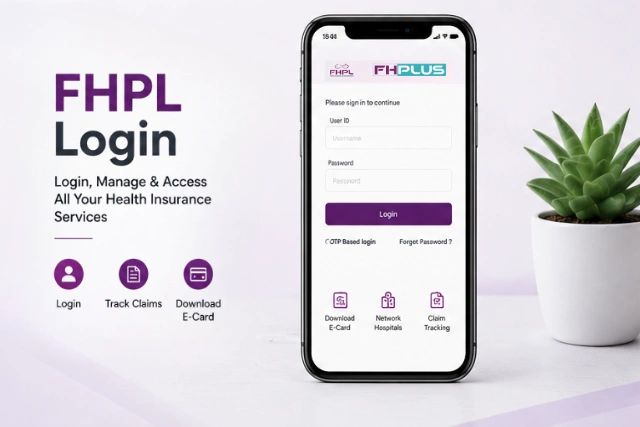
To log in to FHPL, visit www.fhpl.net, click the Login dropdown at the top-right, select your user type (Employee / Hospital / Corporate / Agent), enter your credentials, and click Login.
For the FHPL eCard login, go directly to www.fhpl.net/fhpllogins/ecard/login.aspx?type=ecard. Hospitals use the FHPL pre-auth login at epreauth.fhpl.net. Alternatively, download the FHPL Sparrow app on Android or iOS for on-the-go access.
What is FHPL? (Family Health Plan Insurance TPA Limited)
Before we get into the login steps, let's quickly understand what you're actually logging into, because "FHPL" means different things to different people who land on that login page. It helps to understand what FHPL is and how it supports health insurance policyholders, hospitals, and employers.
FHPL stands for Family Health Plan Insurance TPA Limited. It was incorporated in 1995 and became one of India's first IRDAI-licensed Third Party Administrators (TPAs) in 2002. Think of a TPA as the middleman between your insurance company and the hospital; they handle claims, pre-authorisations, and cashless hospitalisations. If you're unfamiliar with the role of TPAs, understanding what TPA in insurance is can make the FHPL login process easier to follow.
Here’s what makes Family Health Plan Insurance TPA Limited stand out in India’s TPA landscape:
- Presence across 25+ states and 55+ service locations in India
- Access to 7,000+ network hospitals nationwide. Similar healthcare networks are also used by insurers that maintain extensive Care Health Insurance hospital lists across India.
- Serves individual policyholders, corporate employees, and government health scheme beneficiaries
- Among the early Indian TPAs to introduce mobile access through FHPL Sparrow
- Certified under ISO quality and information security standards.
So whether you're a corporate employee accessing your health eCard, a hospital sending a pre-authorisation request, or an HR manager managing group policy benefits – FHPL has a dedicated login portal for you.
All FHPL Login Types – At a Glance
The FHPL portal at www.fhpl.net has multiple login types depending on who you are. Here's a quick map before we go into each one in detail:
| Login Type | Purpose | Access Method |
|---|---|---|
| Employee Login | eCard & benefits | FHPL eCard Portal |
| Hospital Login | Claims & approvals | Hospital Dashboard |
| Corporate Login | Employee policy management | Corporate Portal |
| Agent Login | Client servicing | Agent Portal |
| Pre-Auth Login | Cashless approval requests | ePreAuth |
| Sparrow App | Mobile access | Android & iOS |
Employee / eCard Login
For corporate employees to access health eCard, policy, and benefits
www.fhpl.net/fhpllogins/ecard/login.aspx?type=ecard
Hospital Provider Login
For network hospitals to raise and track cashless claims
www.fhpl.net → Login → Hospital/Provider
Corporate Login
For HR teams managing employee health insurance policies
www.fhpl.net → Login → Corporate
Agent Login
For insurance agents to manage client policies and claims
www.fhpl.net → Login → Agent
Pre-Auth Login (Hospitals)
Dedicated portal for hospitals to submit pre-authorisation requests online
epreauth.fhpl.net
FHPL Sparrow App
Mobile app login for employees – eCard, claims, hospitals, all in one
Android: Play Store | iOS: App Store
FHPL Employee Login (www.fhpl.net Login / eCard Login)
This is the most searched FHPL login type. If you're a corporate employee whose company uses FHPL as their health insurance TPA, this is how you access your digital health eCard, policy details, and benefit information.
Step-by-Step: FHPL Employee eCard Login
1. Go to the FHPL eCard login page
Open your browser and go to: www.fhpl.net/fhpllogins/ecard/login.aspx?type=ecard — or visit www.fhpl.net and click Login → Employee/eCard.
2. Enter your Corporate ID
Your Corporate ID is a unique identifier assigned to your employer by FHPL. Your HR team should have shared this during onboarding.
3. Enter your Employee ID / Username and Password
These credentials are shared by FHPL during your policy enrollment. If you've never logged in before, check with your HR team for first-time credentials.
4. Click Login / Submit
Once logged in, you can view your health eCard, download it, check your sum insured, view network hospitals, and check dependent details.
Can't find your credentials? Your Corporate ID, username, and password are shared by FHPL at the time of policy enrollment — typically through your HR department. If you've never received them, email info@fhpl.net or call the FHPL helpline: 1800-425-033 (toll-free).
FHPL Hospital Provider Login
If you're a hospital administrator or TPA desk executive, the FHPL hospital login or FHPL provider login gives you access to manage cashless claims, pre-authorisation statuses, and patient admission data.
Step-by-Step: FHPL Hospital Login
1. Visit the main FHPL portal
Go to www.fhpl.net and click the Login button on the top navigation bar.
2. Select "Hospital / Provider" from the dropdown
The login dropdown shows multiple user categories. Select Hospital or Provider to access the hospital-specific login screen.
3. Enter your Hospital Provider ID and Password
Use the credentials issued to your hospital by FHPL when your hospital was empanelled into the FHPL network hospital list.
4. Access the hospital dashboard
From here, you can view patient claim details, check pre-authorisation status, and raise cashless requests for admitted patients.
For Pre-Authorisation requests specifically: Hospitals should use the dedicated FHPL Pre-Auth login at epreauth.fhpl.net – a separate portal that allows online submission of cashless pre-auth requests without email or fax, with faster TATs.
FHPL Corporate Login
HR managers and corporate admins use the FHPL corporate login to manage employee group health insurance policies – adding/removing employees, viewing policy documents, and generating reports.
1. Visit www.fhpl.net
Open the FHPL portal and click the Login dropdown in the top-right corner.
2. Select "Corporate" login type
Choose the Corporate option from the dropdown menu to proceed to the corporate-specific login screen.
3. Enter Corporate Login ID and Password
Your FHPL corporate login ID and password are assigned by FHPL at the time of policy inception. Contact your FHPL relationship manager if you need assistance.
4. Manage your employee health data
Access endorsements, employee rosters, claim MIS reports, and communicate policy updates to your FHPL account manager from the corporate dashboard.
FHPL Pre-Auth Login (ePreauth Portal)
The FHPL preauth login, also known as the FHPL e-preauth login, is exclusively for hospitals to send cashless pre-authorisation requests digitally. This replaced the older fax-and-email system with a real-time web-based application that gives hospitals faster approvals.
- URL: epreauth.fhpl.net
- Who uses it: Hospital TPA desks and admission teams
- What you can do: Submit new pre-auth requests, check approval status, upload supporting documents, and get real-time approvals from FHPL medical teams
- Benefit: Faster TATs than email/fax; requests go directly into FHPL's processing queue
Note for patients: The FHPL epre-auth portal is only for hospitals, not for individual patients. If you want to initiate cashless hospitalisation as a patient, contact the hospital's TPA desk - they will submit the pre-auth request on your behalf. Cashless hospitalisation approvals are regulated under health insurance guidelines issued by IRDAI.
FHPL Sparrow Login – The Smarter Way to Access FHPL
Many users are unaware that FHPL also offers a dedicated mobile app for managing health insurance services. You don't have to go through the www fhpl net login page every single time. The FHPL Sparrow app, officially called FHPL Mobile Sparrow, gives you everything the web portal offers, from your smartphone, 24×7.
FHPL was among the first TPAs in India to introduce a mobile application for policyholders, way back in FY 2013–14. The Sparrow app has since grown into a comprehensive health management tool. Here's what it does:
- Digital Health eCard - always on your phone
- Find FHPL Network Hospitals near you
- Real-time Claim Status tracking
- Initiate Cashless Hospitalisation
- Book Home Healthcare Services
- Doctor Appointment Booking
- Submit & Track Claim Forms
- WhatsApp Bot for instant support
How to Log in to FHPL Sparrow
1. Download the FHPL Sparrow app
Available on Google Play Store (search "Fhpl Sparrow") and Apple App Store
(search "FHPL Sparrow"). The app is free to download.
2. Open the app and tap Login
On the home screen, tap the login button. You'll see options for OTP-based login or credential-based login.
3. Enter your registered mobile number or Employee ID
The app supports OTP-based login for ease; enter your registered mobile number and verify with the OTP sent to your phone. Alternatively, use your employee credentials.
4. Access your health dashboard
Once logged in via FHPL Sparrow login. Your eCard, claim history, hospital list, and wellness features are all right there.
FHPL WhatsApp Support: Don't want to open the app? Send a "Hi" to 9154039276 on WhatsApp for instant claim status, eCard access, and support – FHPL's chatbot works 24×7.
How to Check FHPL Claim Status
One of the most common reasons people visit the FHPL login page is to check their claim status. Understanding the overall insurance claim process can also help policyholders know what to expect during claim approval.
Here are all three ways to do it:
Method 1: FHPL Website Claim Tracker
1. Go to the claim tracking page
Visit www.fhpl.net/#/claim_tracking
2. Select your insurance company
Choose from the dropdown: HDFC ERGO, Star Health, New India, etc.
3. Enter Claim Number / UHID and Date of Hospitalisation
Fill in the details and click Submit to view real-time status.
Method 2: FHPL Sparrow App
Log in to the FHPL Sparrow app → tap "Claim Status" from the home screen → your active and past claims will be displayed with current status updates.
Method 3: WhatsApp Chatbot
Send "Hi" to 9154039276 on WhatsApp and type your claim number. The FHPL chatbot responds instantly with the latest status – no login required.
Policyholders can also review insurance grievance and claim-related guidance available through the Insurance Ombudsman framework.
CTA: Need health insurance beyond your corporate policy? Compare Plans on eInsureFirst →
Forgot Password / FHPL Login Issues
Locked out? Can't remember your credentials? Here's what to do:
- Forgot Password: On the FHPL login page, click "Forgot Password" and follow the prompts using your registered email or mobile number.
- First-time login / no credentials: Contact your HR team or FHPL helpline. Your Corporate ID and enrollment credentials are issued by FHPL and relayed through your employer.
- FHPL Customer Care Number: 1800-425-033 (toll-free, available during business hours)
- Email: info@fhpl.net
- For HDFC Bank employees: Use your specific FHPL HDFC Bank employee login credentials issued by HDFC's HR team – these are separate from regular FHPL employee accounts.
- For SBI Retired Employees: The SBI retired employee FHPL login uses credentials shared through SBI's HR/pension department. Contact your SBI branch for enrollment assistance.
Is your company's group cover enough? Understanding the benefits of health insurance in India can help you decide whether additional personal coverage is necessary. Explore personal health insurance to fill the gaps.
Conclusion
FHPL offers multiple login options for employees, hospitals, corporate administrators, and insurance agents. Whether you need to access your health eCard, check a claim status, submit a pre-authorisation request, or manage employee benefits, the correct portal depends on your user type. For the best experience, consider using the FHPL Sparrow app, which provides quick access to most services from your smartphone.
Frequently Asked Questions (FAQs)
I forgot my FHPL login credentials. What should I do?
Use the "Forgot Password" option on the login page or contact your HR team if your account was created through an employer-sponsored health plan.
Can I access my FHPL eCard on my phone?
Yes. The FHPL Sparrow app allows users to view and download their digital health eCard directly from their smartphone.
Who should use the FHPL pre-authorisation portal?
The ePreAuth portal is designed for hospitals and TPA desks that need to submit cashless hospitalisation requests on behalf of patients.
Why can't I log in to my FHPL account?
Login issues are often caused by incorrect credentials, inactive accounts, browser-related problems, or missing enrollment details from your employer.
How do I check FHPL claim status without login?
You can check FHPL claim status without logging in by visiting www.fhpl.net/#/claim_tracking and entering your claim number and date of hospitalisation. Alternatively, send "Hi" to 9154039276 on WhatsApp for instant updates via FHPL's chatbot.
What is the FHPL customer care number?
The FHPL customer care number is 1800-425-033 (toll-free). You can also email info@fhpl.net or use the WhatsApp chatbot on 9154039276 for 24×7 support.
I'm an HDFC Bank employee - how do I do FHPL HDFC login?
HDFC Bank employees use the standard FHPL employee login at www.fhpl.net. Your specific Corporate ID and credentials are issued by HDFC's HR department in coordination with FHPL. Contact your HR team if you haven't received your login details.
Group Covers Good – But Is It Enough?
Your employer's group health insurance via FHPL covers you at work. But it ends the day you leave. A personal health insurance plan ensures you're covered for life, on your terms.
Compare Health Plans Talk to an Expert
Before purchasing additional coverage, it's worth reviewing the top health insurance companies in India to compare benefits, network hospitals, and claim support.
Disclaimer: Login URLs and portal features are based on publicly available information from FHPL's official website and app listings as of June 2026. For the most current access details, always refer to www.fhpl.net or contact FHPL customer care directly. E-Insure First is not affiliated with Family Health Plan Insurance TPA Limited.