Category: Insurance

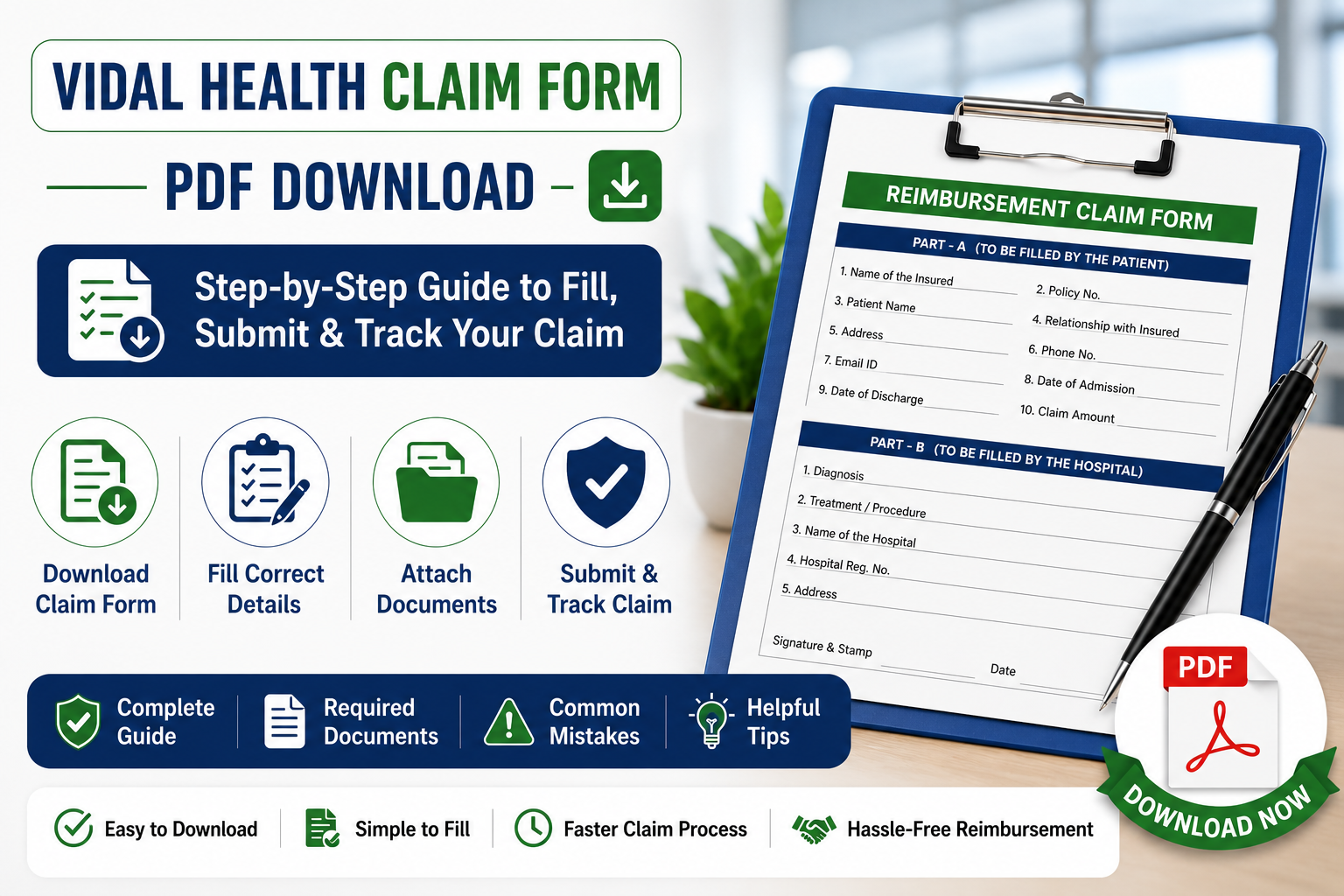
  • Vidal Health Claim Form PDF Download: Step-by-Step Guide to Fill, Submit & Track Your Claim

    Vidal Health Claim Form PDF Download: Step-by-Step Guide to Fill, Submit & Track Your Claim

    Written by the E-Insure First Content Team | Reviewed by Sunil Goyal, Director, E-Insure First | Last updated: July 2026

    Quick Answer:

    The Vidal Health claim form is a two-part reimbursement document — Part A filled by you, Part B filled by your treating hospital — used when you’re claiming money back after paying for hospitalisation yourself. You can download the latest PDF from Vidal Health TPA’s official downloads page. Cashless patients don’t need this form at all; the hospital handles a separate pre-authorisation form on their behalf. Reimbursement claims should reach Vidal Health within 20 days of discharge, along with your bills, discharge summary, and prescriptions.

    Filling out a claim form after a hospital stay is rarely anyone’s idea of a good afternoon, and it’s easy to lose ten minutes just figuring out which Vidal Health claim form you actually need. This guide walks through the whole thing — which form applies to your situation, exactly what each section is asking for, what to attach, and the small mistakes that quietly get claims rejected. If you’ve already submitted your documents, you can also learn how to check your Vidal Health claim status to monitor your reimbursement progress online.

    What is the Vidal Health Claim Form?

    Vidal Health Insurance TPA (IRDAI Reg. No. 016) is the third party who handles health insurance claim settlement of your original insurer. So, the Vidal health insurance claim form is a kind of document through which Vidal Health will get to know all the details when they process your claim where there is no cashless treatment and the insurer will send the amount there.

    It’s worth being clear on one thing upfront: Vidal Health isn’t your insurance company. It’s the administrator that verifies your claim and forwards it, but your insurer still makes the final approval call. That’s why the form asks for both your policy details and your TPA enrolment details — two different entities are involved in getting your claim paid. If you’re unfamiliar with this role, here’s a detailed guide explaining what a TPA in insurance is and how it works.

    Vidal Health Claim Form PDF Download

    Before filling out your reimbursement claim, it’s important to download the latest version of the Vidal Health claim form. Using an outdated form can delay processing or result in additional document requests.

    Here’s what to know about the Vidal Health TPA claim form PDF:

    • Where to download: Vidal Health TPA’s official downloads section on their website, listed under claim forms.
    • Official source only: Third-party PDF-editing sites often host older or slightly modified copies of this form. Always cross-check the version against the one on Vidal Health’s own site before submitting.
    • Latest version: The current form follows the standard IRDAI-prescribed format — “Claim Form for Health Insurance Policies Other Than Travel and Personal Accident” — split into Part A and Part B.
    • File format: Downloadable as a fillable PDF, which can be completed digitally or printed and filled by hand.

    Can’t find the current version on the official site? Message E-Insure First and we’ll send you the correct link.

    When Do You Need a Vidal Health Claim Form?

    Not every hospital visit needs this form filled out. Here’s when it actually applies:

    • Reimbursement claims: You paid the hospital bill yourself and are claiming the amount back — this is the main scenario the form is built for.
    • Planned hospitalisation without cashless approval: If your hospital isn’t in the network, or cashless wasn’t arranged in time, you’ll pay upfront and reimburse afterward.
    • Emergency hospitalisation: Emergencies sometimes bypass the pre-authorisation window entirely, especially if admission happens outside office hours — reimbursement becomes the fallback route.
    • Claims after discharge: Even for a cashless case, if there’s a gap the hospital didn’t cover (say, a non-payable item), you may need to submit a reimbursement form separately for that portion.

    One thing to flag clearly: cashless claims don’t use this form at all. For cashless treatment, the hospital’s insurance desk submits a separate pre-authorisation form directly to Vidal Health — you generally don’t fill anything beyond your ID and policy card at admission. If you need to understand that process in detail, read our guide on the Vidal pre-auth form and when hospitals use it.

    Types of Vidal Health Claim Forms

    Vidal Health uses different forms depending on the type of claim you’re making. Understanding which form applies to your situation helps avoid delays and ensures the correct documents are submitted from the beginning.

    Form Used For Who Fills It
    Pre-Authorisation Form Cashless treatment approval before or at admission Hospital
    Reimbursement Claim Form (Part A + Part B) Claiming money back after discharge Part A: Policyholder · Part B: Treating hospital/doctor
    Additional Document Request Form When Vidal Health needs extra clarification or paperwork Policyholder

    How to Fill the Vidal Health Claim Form: Step by Step

    Filling the claim form accurately is essential because even small mistakes can delay claim processing. The steps below explain exactly what information needs to be entered in each section of the reimbursement claim form.

    If you’re wondering how to fill claim form Part A Vidal Health requires, here’s the section-by-section breakdown:

    Step 1 – Patient details: Name, age, gender, relationship to the primary policyholder, and contact information, filled in block letters.

    Step 2 – Policy information: Policy number, TPA ID/enrolment number, insurer name, and sum insured details.

    Step 3 – Hospital details: Hospital name, address, and registration number — this part typically overlaps with what the hospital fills in Part B.

    Step 4 – Treatment details: Diagnosis, dates of admission and discharge, nature of treatment, and itemised expenses.

    Step 5 – Bank account details: Account number, IFSC code, and bank branch, exactly as they appear on your passbook or a cancelled cheque, since mismatches here are a common cause of payment delays.

    Step 6 – Declaration and signature: A signed statement confirming the information is accurate, dated and signed by the policyholder in the space provided.

    Part B – covering diagnosis codes, procedure details, and doctor’s registration number — is completed and signed separately by the treating hospital or doctor, not by you.

    Documents Required With the Claim Form

    Submitting a complete set of supporting documents is just as important as filling out the claim form correctly. Missing paperwork is one of the most common reasons reimbursement claims are delayed or returned for clarification.

    Document Mandatory
    Completed claim form (Part A & B) Yes
    Original hospital bills Yes
    Discharge summary Yes
    Doctor prescriptions Yes
    Diagnostic reports Usually
    Cancelled cheque Sometimes
    ID proof If requested

    How to Submit the Vidal Health Claim Form?

    Once you’ve completed the claim form and gathered all supporting documents, the next step is submitting them through the appropriate channel. Vidal Health offers multiple submission methods depending on your preference and document requirements.

    You have a few submission routes, and which one makes sense depends on your situation:

    • Through the hospital: Some hospitals with a Vidal Health tie-up will forward reimbursement paperwork on your behalf — worth asking at the insurance desk before you leave.
    • Online: Uploaded through the Vidal Health portal where available — the fastest option and best for tracking submission timestamps.
    • Email: Scanned copies sent to Vidal Health’s designated claims email address, useful when you need a written submission record.
    • Courier: Physical documents sent to Vidal Health’s processing office — use this if original documents are specifically required rather than scanned copies.
    • Physical submission: Dropping documents at a Vidal Health branch or designated collection point directly, if one is accessible to you.

    Online or email submission is generally the safer default, since it gives you a timestamped record. Courier or physical submission makes sense only when originals are explicitly requested.

    Cashless vs. Reimbursement Claim Form?

    Many policyholders confuse cashless and reimbursement claims, but the documentation process is different for each. The comparison below explains when each type of claim form is used and who is responsible for submitting it.

    This is the single most common point of confusion, so here it is side by side:

    Cashless Reimbursement
    Hospital submits the form You (the policyholder) submit the form
    Filed before treatment begins Filed after treatment and discharge
    Uses the Pre-Authorisation Form Uses the Claim Form (Part A + Part B)
    You pay nothing upfront (if approved) You pay first, then get reimbursed

    Common Mistakes While Filling the Vidal Health Claim Form

    • Missing signatures – Both the policyholder’s signature on Part A and the doctor’s/hospital’s signature on Part B are required — one missing signature stalls the whole form.
    • Wrong policy number – A single transposed digit sends the claim searching for a policy that doesn’t match, delaying verification.
    • Incomplete bills – Submitting a summary bill instead of the full itemised bill is a frequent reason claims bounce back for clarification.
    • Missing bank details – An incomplete or mismatched IFSC code means an approved claim still can’t be paid out.
    • Illegible handwriting – If it’s handwritten, print clearly in block letters — unreadable entries get treated as missing information.
    • Missing discharge summary – This single document ties together diagnosis, treatment, and dates — without it, the claim can’t be assessed properly.

    Why Your Claim Form May Be Rejected?

    Even when treatment is covered, claims can still be delayed or rejected because of documentation errors or policy conditions. Understanding these common reasons can help you avoid unnecessary delays.

    A rejection isn’t always about the form itself. Common reasons include:

    • Incomplete form: A section left blank, especially in Part A or the declaration.
    • Missing documents: Even one absent bill or report can hold up the entire claim.
    • Waiting period not completed: Certain conditions have a policy-specific waiting period before they’re covered.
    • Policy exclusions: Some treatments or conditions simply aren’t covered under your specific plan.
    • Wrong or inconsistent information: Details on the form not matching hospital records or your policy details.
    • Delayed submission: Reimbursement claims are generally expected within 20 days of discharge — check your specific policy wording, since this window can vary.

    What to Do if Your Claim Form Is Rejected?

    1. Read the rejection letter carefully to understand the exact reason cited.
    2. Contact Vidal Health directly to clarify what’s missing or disputed.
    3. Contact your insurer as well, since they hold the final decision-making authority.
    4. Resubmit any missing documents promptly if that’s the stated reason.
    5. Request a formal review if you believe the rejection is incorrect.
    6. Escalate to your insurer’s grievance redressal officer if the review doesn’t resolve it.
    7. File a complaint with IRDAI’s Bima Bharosa portal as a last resort, if you believe the rejection is unjustified.

    If your grievance remains unresolved, you can submit a complaint through the IRDAI Bima Bharosa portal, which handles insurance-related consumer grievances.

    How to Check Claim Status After Submitting the Form?

    Once your form and documents are in, you can track progress using your enrolment ID, claim number, or registered mobile number on the Vidal Health portal, or by calling customer care directly. We’ve covered the full process — including what each status stage means — in our detailed Vidal Health Claim Status guide. If your claim is being processed through another TPA, you can also learn how to check your FHPL claim status, as the tracking process is similar across many TPAs.

    Submitted your form and want to know what happens next? Read our claim status tracking guide.

    Vidal Health Customer Care

    Channel Details
    Phone 080-2800 4114 (national helpline)
    WhatsApp Missed call to 022-4892 6099 to start a chat
    Office Hours 24/7 helpline, with a dedicated corporate help desk during business hours
    Official Website https://www.vidalhealthtpa.com/vidalhealthtpa

    Expert Tips Before You Submit the Form

    • Keep photocopies of every original document before you send anything, especially if submitting by courier.
    • Scan documents in good lighting and legible resolution if submitting online or by email — blurry scans are a common cause of “resubmit” requests.
    • Use your registered email address for any digital submission, since Vidal Health matches correspondence against the email on file.
    • Double-check bank account and IFSC details against a cancelled cheque, not from memory.
    • Save the acknowledgement or reference number you receive after submission — you’ll need it for status tracking.

    Expert Note:

    This guide has been prepared after reviewing the official Vidal Health TPA claim process, IRDAI claim guidelines, and publicly available reimbursement claim documentation. The information has been verified at the time of publication; however, claim procedures, document requirements, and submission timelines may change, so policyholders should always verify the latest instructions on the official Vidal Health website.

    Final Verdict

    Getting your Vidal Health claim form right on the first try comes down to a few basics: download the current version from the official site, fill Part A completely and legibly, make sure Part B is properly completed by the hospital, attach every required document, and submit within the claim window. Once it’s in, track it through the portal using your enrolment ID or claim number rather than waiting for an update to come to you.

    Want a second pair of eyes on your claim form before you submit it? Talk to E-Insure First — no charge for the first review.

    Frequently Asked Questions

    Where can I download the Vidal Health claim form?

    The official PDF is available on Vidal Health TPA’s website under their claim forms/downloads section. Always use the version from their official site rather than third-party PDF editing tools.

    Is the claim form different for cashless treatment?

    Yes. Cashless treatment uses a separate Pre-Authorisation Form submitted by the hospital. The reimbursement claim form (Part A and Part B) is only needed when you’re claiming money back after paying yourself.

    Can I submit the Vidal Health claim form online?

    Yes, where the online submission option is available, it’s generally the fastest and easiest route to track, since it gives you a digital timestamp of submission.

    What documents are required with the claim form?

    At minimum: the completed claim form, original hospital bills, discharge summary, and doctor prescriptions. Diagnostic reports, a cancelled cheque, and ID proof may also be requested depending on the claim.

    How long does Vidal Health reimbursement take?

    Processing time varies by claim complexity and document completeness. Submitting a complete, accurate form the first time is the single biggest factor in avoiding delays.

    Can I edit the claim form after submission?

    Not directly. If you notice an error after submitting, contact Vidal Health customer care to correct it rather than resubmitting a new form, which can create duplicate records.

    Who signs the Vidal Health claim form?

    Part A is signed by the policyholder (or the insured person making the claim). Part B is completed and signed separately by the treating doctor or hospital.

    Can someone else submit the form on my behalf?

    Yes, a family member or representative can generally submit the completed form and documents, as long as the declaration in Part A is signed by the actual policyholder or insured person.

    Is there a separate Vidal Health cashless claim form?

    Not one you fill yourself — cashless treatment uses the hospital-submitted Pre-Authorisation Form instead of the policyholder-filled reimbursement claim form.

    About E-Insure First: E-Insure First is an independent insurance advisory platform led by Director Sunil Goyal, helping Indian policyholders compare, buy and manage general and health insurance policies. This article reflects publicly available information from Vidal Health Insurance TPA (IRDAI Registration No. 016) as of July 2026, and is updated periodically. It does not replace guidance from Vidal Health or your insurer — always verify form versions, timelines, and submission requirements directly with them, since these can change.

  • Vidal Health Claim Status: How to Check It Online (2026 Guide)

    Vidal Health Claim Status: How to Check It Online (2026 Guide)

    Written by the E-Insure First Content Team | Reviewed by Sunil Goyal, Director, E-Insure First | Last updated: July 2026

    Quick Answer:

    To check your Vidal Health claim status, go to the Vidal Health TPA employee portal at vidalhealthtpa.com/employeeportal/ and enter your enrolment ID, pre-authorisation number, claim number, registered mobile number, or email ID. The portal shows real-time progress instantly, no separate account creation needed. You can also call Vidal Health’s customer support helpline at 080-2800 4114 or send a WhatsApp missed call to 022-4892 6099 if you’d rather not use the portal.

    If you’ve been hospitalised or filed a reimbursement claim through a group health policy, there’s a good chance a company called Vidal Health, not your actual insurer, is the one processing it behind the scenes. That confuses a lot of people the first time they try to check Vidal Health claim status and can’t find it on their insurer’s app. This guide reflects the latest Vidal Health claim tracking process, employee portal, customer care numbers, reimbursement forms, and claim status methods available as of July 2026. If you are new to health claim processing, understanding what is TPA in insurance can help you know how third-party administrators manage claims between insurers, hospitals, and policyholders.

    Confused about why your TPA and insurer are showing different information? Ask E-Insure First — we’ll help you make sense of it.

    What is Vidal Health TPA?

    Vidal Health Insurance TPA is an IRDAI-licensed Third-Party Administrator, established in 2002 and headquartered in Bangalore. After merging with Vipul MedCorp, it became one of India’s largest TPA networks, with 12,000+ empanelled hospitals across 800+ cities and roughly 40 offices spread over 28 states. Vidal Health doesn’t sell insurance itself — it processes claims on behalf of over 20 insurers, including names like HDFC ERGO, ICICI Lombard, and Niva Bupa, mostly for corporate and group health policies.

    This distinction matters more than it sounds. Your insurer decides what’s covered under your policy and makes the final approval call; Vidal Health is the administrator running the paperwork, hospital coordination, and claim tracking in between. That’s exactly why a Vidal Health insurance claim status lookup sometimes shows different or more detailed information than what your insurer’s own app displays.

    How to Check Vidal Health Claim Status Online?

    Here’s how to check Vidal Health claim status online in under a minute:

    Here’s how to check Vidal Health claim status online in under a minute. Policyholders can also access claim tracking, hospital details, and member services directly through the official Vidal Health TPA website.

    1. Go to the official Vidal Health TPA employee portal.
    2. Enter any one of the following: your enrolment ID, pre-authorisation number, claim number, registered mobile number, or email ID.
    3. Submit the details — the portal pulls up real-time progress without requiring a separate login or password for a first-time check.
    4. Your claim stage will display: registered, under review, documents pending, approved, or settled.

    This same process works whether you’re trying to check Vidal Health TPA claim status online for a cashless hospitalisation or a reimbursement claim you’ve filed after discharge.

    Still can’t locate your claim after trying the portal? Reach out to E-Insure First — we’ll help you figure out the right reference number to use.

    Vidal Health Login: Portal, App and Provider Access

    Beyond a one-time status check, Vidal Health runs a few different login points depending on who you are:

    Login Type 

    Who It’s For 

    What You Need 

    Vidal Health login (Employee Portal) 

    Policyholders under a group/corporate health policy 

    Enrolment ID, claim number, or registered mobile/email 

    Vidal provider login 

    Network hospitals coordinating cashless claims 

    Hospital-issued provider credentials 

    Vidal health app 

    Individual members wanting mobile access 

    Registered mobile number, downloadable from Play Store/App Store 

    Agent/Corporate portal 

    HR teams and intermediaries managing group policies 

    Corporate login credentials issued separately 

    If you’re specifically searching vidal health portal login or vidal tpa login and landing on a blank or “upgrading” screen, this usually means you’re on the older individual login page — the employee portal linked above is the actively maintained one for most group policy members.

    What Each Claim Status Stage Means

    Vidal Health claim status updates show the current progress of your health insurance claim. Each status represents a different stage, from claim registration and document verification to final approval or settlement.

    Status Shown 

    What It Means 

    Claim Registered 

    Your claim or pre-authorisation request has been logged in Vidal’s system. 

    Under Review 

    Vidal Health is verifying your documents and the hospital bill against your policy terms. 

    Query Raised / Documents Pending 

    Additional information is needed from you or the hospital before processing can continue. 

    Sent to Insurer 

    Vidal has completed its verification and forwarded the claim to your insurer for final approval. 

    Approved 

    The claim has been sanctioned; payment or cashless authorisation is being processed. 

    Settled / Closed 

    Payment has reached the hospital (cashless) or your bank account (reimbursement), and the file is closed. 

    Typical Vidal Health Claim Timeline

    The time required to process a Vidal Health claim depends on the claim type, hospital response, and document verification. Below is the general timeline for cashless and reimbursement claim processing.

    Stage 

    Typical Time 

    Cashless pre-authorisation 

    30 min–6 hrs 

    Document verification 

    1–3 days 

    Insurer approval 

    1–5 days 

    Reimbursement processing 

    7–30 days 

    Cashless vs. Reimbursement: Tracking Looks Different

    A cashless claim starts the moment the hospital’s insurance desk submits your pre-authorisation form to Vidal Health — you can typically track claim status within a few hours of admission. A claim reimbursement does not start moving unless you hand over the duly filled up claim form (Form No. 9) with the bills, discharge summary and the prescriptions in about 7 days after being discharged from the hospital. In case you’re looking up for the status and can’t see anything, it’s highly likely that the claims documents have not been logged yet.

    Vidal Health Network Hospital List

    Before you’re admitted anywhere, it’s worth confirming the hospital is actually in Vidal Health’s network, since that’s what determines whether you get cashless treatment or have to pay and claim reimbursement later. The Vidal Health hospital list is available directly on their website and covers all 12,000+ empanelled hospitals, searchable by city — useful if you’re checking availability in Bangalore, Chennai, or any of the other 800+ cities they operate in. Users can verify official TPA registration details through the IRDAI registered TPA list.

    Want help confirming if your nearest hospital is cashless-network eligible? Ask E-Insure First before you’re admitted, not after.

    Vidal Health Preauth Form and Claim Form

    Two documents come up constantly in this process:

    Vidal Health preauth form: Filled out at the hospital’s insurance desk for cashless treatment. The hospital typically handles submission directly to Vidal Health on your behalf — you just need your policy/ID card. Similar to Vidal Health, policyholders can also check the Medi Assist pre-auth form process to understand how different TPAs handle cashless approvals.

    Vidal Health claim form (Form No. 9): Used for reimbursement claims, available for download on Vidal Health’s official website. It needs to be filled completely and submitted with your hospital bills, prescriptions, discharge summary, and diagnostic reports.

    Incomplete forms are the single biggest reason reimbursement claims stall in the “documents pending” stage — double-check every field before submitting.

    Vidal Health Customer Care, Toll-Free Number and WhatsApp

    If you are unable to track your claim online or need help with documents, Vidal Health provides multiple support channels. You can contact customer care through phone, WhatsApp, or official support options.

    Channel 

    Details 

    Vidal Health customer care number 

    080-2800 4114 (national helpline) 

    Vidal Health WhatsApp number 

    Missed call on 022-4892 6099 to start a WhatsApp chat 

    Availability 

    24/7 helpline with a dedicated corporate help desk 

    Official website 

    vidalhealthtpa.com  

    Numbers listed as “toll-free” for TPAs can vary by region and policy type. If the number above doesn’t connect, check the number printed on your specific policy/ID card, since large TPAs sometimes run separate lines for different insurer partnerships.

    New India Assurance and Other Insurer Policies Handled by Vidal Health

    This is very common and it should not cause concern if your New India Assurance policy paperwork or ID card indicates Vidal Health as the TPA. New India Assurance, for instance, utilizes Vidal Health as their appointed third-party administrator(TPA) who would handle the claims filed on their policy. You can utilize the Vidal Health portal to follow up on claim proceedings however, the approval decision lies ultimately with your insurer.

    Why Your Vidal Health Claim May Be Delayed?

    Vidal Health claim delays usually happen because of missing information, pending verification, or additional approval requirements. Understanding the common reasons can help you resolve issues faster.

    • Missing documents
    • Hospital hasn’t uploaded bills
    • Policy exclusions
    • Waiting for insurer approval
    • Medical clarification required
    • Incorrect bank details
    • Duplicate documents
    • Pending KYC

    Vidal Health Claim Rejected? Here’s What to Do Next

    If your Vidal Health claim is rejected, don’t panic. Many claim rejections can be resolved by correcting documents or providing additional information.

    • Check the rejection reason on the Vidal Health portal, email, or SMS.
    • Contact Vidal Health or your insurer to understand why the claim was declined. Remember, Vidal Health processes claims, but the insurer makes the final decision.
    • Review your policy to check for exclusions, waiting periods, or coverage limits. Before filing a claim, knowing common insurance policy exclusions can help you understand why some treatments or expenses may not be covered.
    • Submit any missing documents, such as hospital bills, discharge summary, prescriptions, or claim forms, if requested.
    • Request a claim review if you believe the rejection was incorrect.
    • Escalate the complaint through your insurer’s grievance cell or the IRDAI if the issue remains unresolved.

    Common reasons for rejection: incomplete documents, policy exclusions, waiting periods, delayed claim submission, or treatments not covered under your health insurance policy.

    Common Mistakes to Avoid

    Small errors during claim submission can increase processing time or lead to unnecessary delays. Avoid these common mistakes while tracking or submitting your Vidal Health insurance claim.

    • Checking status on your insurer’s app instead of Vidal’s portal. If Vidal Health is your TPA, the most current claim progress usually shows on their portal first, since they process the claim before forwarding it to the insurer.
    • Using an outdated mobile number. Vidal’s system matches against your registered number — an old number returns no results, not an error message explaining why.
    • Submitting incomplete reimbursement documents. Missing even one bill or prescription page is enough to push a claim into “documents pending” indefinitely.
    • Assuming a hospital is cashless without checking. Always confirm against the current hospital list before treatment, not after you’ve been billed.
    • Delaying reimbursement submission. Filing well past the 7-day guidance window can complicate processing, even if the claim is otherwise valid.

    Expert Tips

    Following a few simple practices can make your Vidal Health claim process smoother and reduce the chances of document-related delays.

    • Photocopy every original document before submitting a reimbursement claim — originals can get delayed or misplaced in processing, and you’ll want your own record.
    • Save your enrolment ID somewhere accessible outside your policy documents (a phone note works fine) — it’s the fastest single credential for any future status check.
    • If a claim has been stuck in “under review” for over two weeks with no update, call the helpline directly rather than continuing to refresh the portal.
    • For cashless treatment, get the hospital’s insurance desk to confirm pre-authorisation submission before you leave the admission counter — this avoids surprises at discharge.

    Final Verdict

    Once you realise you are addressing a TPA rather than the insurer the best method of keeping track of your Vidal Health claim status remains using the employee portal. This will provide you with the most accurate and real time status than any of the insurer’s apps. Have your enrollment ID ready with you, confirm your hospital’s network with them prior to hospitalisation, and if the claim lies static for more than two weeks it is a direct telephone call to the helpline that helps you rather than remaining stuck at the portal. You can also learn how to check your FHPL claim status if your policy uses another health insurance TPA.

    Dealing with a stuck claim or unclear TPA process? Talk to E-Insure First — no charge for the first consultation.

    Frequently Asked Questions

    Here are answers to common questions about Vidal Health claim status, online tracking, customer care support, reimbursement claims, and TPA services.

    How do I check my Vidal Health insurance claim status online?

    Visit the Vidal Health TPA employee portal and enter your enrolment ID, pre-authorisation number, claim number, mobile number, or email ID. The status displays instantly without needing a separate login.

    Is Vidal Health my insurance company?

    No Vidal Health is a TPA and processes and handles your claims in between your provider of insurance and you. Your provider determines and approves and covers the treatment. Vidal Health simply handles the coordination.

    What is the Vidal Health customer care number?

    The national helpline is 080-2800 4114, available 24/7. You can also reach support via a WhatsApp missed call to 022-4892 6099.

    Why does my Vidal Health claim status show no results?

    This usually means the reference number entered doesn’t match their records exactly, the registered mobile number has changed, or, for reimbursement claims, the documents simply haven’t been logged into the system yet.

    How do I find Vidal Health’s network hospital list?

    The full hospital list is available on Vidal Health’s official website, searchable by city. Always verify a hospital’s cashless status before admission rather than assuming based on a previous visit.

    What documents do I need for a Vidal Health reimbursement claim?

    You’ll need the completed claim form (Form No. 9), original hospital bills, discharge summary, prescriptions, and diagnostic reports, ideally submitted within 7 days of discharge.

    About E-Insure First: E-Insure First is an independent insurance advisory platform led by Director Sunil Goyal, helping Indian policyholders compare, buy and manage general and health insurance policies. This article reflects publicly available information from Vidal Health TPA’s official website and industry sources as of July 2026, and is updated periodically. It does not replace guidance from Vidal Health or your insurer — always verify claim-specific details directly with them, since contact numbers and portal processes can change.

  • How to Find Your Insurance Policy Number Online (2026 Guide)

    How to Find Your Insurance Policy Number Online (2026 Guide)

    Written by the E-Insure First Content Team | Reviewed by Sunil Goyal, Director, E-Insure First | Last updated: July 2026

    Quick Answer:

    The fastest way to find your insurance policy number online is to log in to your insurer’s app or customer portal using your registered mobile number or email, where it’s usually shown on the “My Policies” or “Dashboard” page. If you don’t have login access yet, check your policy confirmation email, renewal SMS, or premium payment receipt — all of these carry the policy number. As a last resort for motor insurance, you can pull it up using just your vehicle registration number through the government’s Vahan portal.

    You need your policy number to file a claim, renew a policy, or even just answer a call from customer care — and it’s surprisingly common to not have it handy when you actually need it. If you’re trying to figure out how to find insurance policy number online, the good news is that in almost every case, you don’t need to dig through a filing cabinet. This guide covers the fastest ways to pull it up for car, bike, health, and life insurance, including what to do when you’ve genuinely lost every document. If you don’t have your insurance details available, you can also learn how to find insurance policy number by vehicle number using online methods.

    Can’t locate your policy number anywhere? Send E-Insure First your name and insurer — we’ll help you track it down without the runaround.

    Where Your Policy Number Actually Lives

    Before jumping into insurer-specific steps, it helps to know that your policy number is never stored in just one place.

    Method Best For Requirement
    Insurer App/Website All policies Mobile number/email
    Policy PDF Existing customers Downloaded document
    Email Search Lost documents Registered email
    Vahan Portal Car & Bike Insurance Vehicle number
    Customer Care No login access Identity verification

    It shows up on:

    • The policy confirmation email sent when you bought the cover
    • Your digital or physical insurance card/certificate
    • Any premium payment receipt or renewal reminder SMS
    • The insurer’s mobile app or web portal, once you log in
    • Your policy document (declarations page), usually a PDF you can download anytime

    If even one of these has survived — an old email, a WhatsApp forward from your agent, a bank statement showing the premium debit — you likely already have what you need without logging in anywhere.

    How to Find Your Car Insurance Policy Number Online?

    Here’s how to check car insurance policy number online when you don’t have your documents handy:

    1. Open your insurer’s app or website and click “Customer Login” or “My Policies.”
    2. Log in with your registered mobile number and the OTP sent to it — most Indian insurers have dropped passwords in favour of OTP login.
    3. Your active policies will list under your name, each with its policy number clearly shown. You should also regularly check car insurance validity online to make sure your policy is active before renewal or claims.
    4. Tap or click on the specific policy to view the full document, which you can also download as a PDF.

    This is also the process to find car insurance policy number online and find my car insurance policy number online if you’re a first-time user — you’ll just need to complete a one-time registration with your mobile number and vehicle/engine number before the portal recognises you.

    No login access and no documents at all? If it’s a motor policy, visit the government’s Vahan e-service portal, enter your vehicle’s registration number, and it will show your current insurer’s name and policy validity — from there, a quick call to that insurer with your registration number is usually enough for them to pull up the exact policy number.

    How to Find Your Bike Insurance Policy Number Online?

    Two-wheeler owners often ask where can I find my bike insurance policy number online, especially right after a renewal when the new number hasn’t been memorised yet. The process mirrors car insurance:

    1. Log in to your insurer’s app or portal with your registered mobile number.
    2. Open “My Policies” and select your two-wheeler policy.
    3. The policy number appears at the top of the policy summary, along with the validity dates. Bike owners can also check bike insurance validity online to confirm coverage details anytime.

    If you’re wondering how to find my bike insurance policy number online or simply how to find bike insurance policy number online without an app login, the same Vahan portal trick works here too — just search using your bike’s registration number instead of a car’s.

    How to Check National Insurance Policy Number Online?

    National Insurance Company (NIC), one of India’s public sector general insurers, runs its own customer portal separate from private insurer apps. If you’re asking how to check National Insurance policy number online, here’s the process:

    1. Go to the official National Insurance website and click “Customer Login.”
    2. Registered users log in with their Customer ID and password; new users register with their name, mobile number, and email ID first.
    3. Once logged in, your policy list, including the policy number, appears on the dashboard.
    4. Alternatively, call NIC’s toll-free customer care number and provide your name and mobile number to have an executive read out your policy details.

    Max Life Insurance Policy Status Online by Policy Number

    Max Life Insurance now operates as Axis Max Life Insurance following its rebrand, but the customer portal works the same way it always has. If you’re looking to check Max Life insurance policy status online by policy number:

    1. Visit the official Axis Max Life website and click “Customer Login.”
    2. Select “Track Application” or “View Policy Details” from the dropdown.
    3. Enter your registered mobile number, email, or existing policy number along with your date of birth.
    4. Your policy status, due dates, and sum assured will display once verified. Existing customers can also use the Max Life Insurance login portal to manage policy details online.

    If you don’t yet have your policy number to start this search, an SMS or a call to the toll-free helpline (using your registered mobile number) is enough for the insurer to look it up on their end and share it with you.

    Managing more than one policy and losing track of the numbers? E-Insure First can help you organise all your policies in one place — no charge for the first consultation.

    Real-World Scenarios

    Situation 

    What to Do 

    You’re at the scene of an accident and need your policy number instantly 

    Open your insurer’s app — the digital policy card is accepted as valid proof in almost every state 

    You’ve switched phones and lost your saved documents 

    Search your email for the insurer’s name; the original confirmation email almost always has it 

    You bought the policy through an agent and never got login access 

    Call the insurer’s customer care with your name, mobile number, and vehicle/DOB details to complete registration 

    The policy was bought years ago and the account details are forgotten 

    Use “Forgot Customer ID” or “Forgot Policy Number” on the insurer’s login page — it typically only needs your registered mobile or email 

    Common Mistakes to Avoid

    • Confusing your policy number with your customer ID. Many insurers assign a separate customer/account ID for login and a different number for the actual policy — check which field the form is asking for.
    • Using an old, deactivated mobile number. OTP-based logins fail silently if your number has changed and you haven’t updated it with the insurer — this is the single biggest reason people get stuck.
    • Assuming a lapsed policy has “disappeared.” Expired or lapsed policies still show up in your portal history; you don’t need an active policy to view an old policy number.
    • Searching only the inbox, not spam or promotions folders. Renewal and confirmation emails often land outside the primary inbox.

    Expert Tips

    • Save a screenshot of your digital policy card right after purchase or renewal — it’s the fastest lookup you’ll ever have.
    • If you manage multiple policies across insurers, keep a single note (physical or digital) listing just the insurer name and policy number for each — you’ll need it far more often than you’d expect, especially at renewal time. Understanding the complete insurance claim process also helps you stay prepared when using your policy details.
    • For motor policies specifically, your vehicle registration number is often a faster starting point than trying to remember login credentials, since it’s a fixed identifier tied to your Vahan/RC record.

    Final Verdict

    Whether you’re trying to check car insurance policy number online, locate a two-wheeler policy, or check something like Max Life insurance policy status online by policy number, the fix is almost always the same: your insurer’s app or portal, your email inbox, or a five-minute call to customer care. The one Indian-specific shortcut worth remembering is the Vahan portal for motor policies — it works even when you have zero paperwork left. Bottom line on how to find insurance policy number online: start with your phone before you start searching drawers.

    Want a second pair of eyes on your policy details before renewal? Talk to E-Insure First — we’ll help you review coverage, not just find a number.

    Frequently Asked Questions

    How do I find my insurance policy number online if I forgot my login details?

    Use the “Forgot Customer ID” or “Forgot Password” option on your insurer’s login page — it usually just needs your registered mobile number or email to send you a reset link or OTP.

    Can I find my car insurance policy number using just my vehicle number?

    Yes, for motor insurance. The government’s Vahan e-service portal lets you search by vehicle registration number and will show your current insurer and policy validity, which you can then use to request the exact policy number from that insurer.

    Is my policy number the same as my claim number?

    No. Your policy number is permanent and stays the same for the life of your policy. A claim number is generated separately, only when you file a specific claim, and applies only to that incident.

    Where can I find my bike insurance policy number if I bought it through an agent?

    Check the confirmation SMS or email sent at purchase, or call your insurer’s customer care with your registered mobile number and vehicle details — they can look it up and also help you set up online portal access going forward.

    Does my policy number change when I renew my policy?

    It depends on the insurer. Some retain the same policy number across renewals, while others issue a new number each year — always check your latest renewal document rather than assuming the old number still applies.

    About E-Insure First: E-Insure First is an independent insurance advisory platform led by Director Sunil Goyal, helping Indian policyholders compare, buy and manage general and life insurance policies. This article reflects publicly available information from insurer websites and portals as of July 2026 and is updated periodically. It does not replace guidance from your insurer — always verify policy-specific details directly with them.

  • HDFC ERGO Claim Login 2026: Register a Claim, Check Claim Status & HCS Portal Guide

    HDFC ERGO Claim Login 2026: Register a Claim, Check Claim Status & HCS Portal Guide

    Written by the E-Insure First Content Team | Reviewed by Sunil Goyal, Director, E-Insure First | Last updated: July 2026

    Quick Answer:

    There isn’t just one HDFC ergo claim login. HDFC ERGO runs different portals for different people. Individual policyholders use the self-help portal at selfhelp.hdfcergo.com to register a new claim or check an existing one with an OTP, while the HDFC ergo health claim services login (the HCS portal) is meant for HR admins, intermediaries, employees under group policies, and network hospitals. Knowing which one applies to you saves a lot of wasted clicks.

    If you’ve typed “claim HDFC ergo login” into Google and landed on three different-looking pages, you’re not doing anything wrong — HDFC ERGO genuinely does run more than one claim portal, and most articles online don’t bother explaining which one you actually need. This guide sorts that out product by product, so you land on the right login the first time. If your claim is already submitted, you can also learn how to check HDFC ERGO claim status online to track approval stages, documents, and settlement updates.

    Not sure which portal your policy needs? Message E-Insure First — send us your policy type and we’ll point you to the exact login page.

    First, the Part Most Articles Skip: There Are Two Different “Claim Logins”

    Before you go hunting for a password, it helps to know that HDFC ERGO’s claim-related logins split into two clearly different systems, built for two different audiences:

    Portal 

    Who It’s For 

    What You Log In With 

    Self-Help Claim Portal (selfhelp.hdfcergo.com

    Individual policyholders — car, bike, health, travel, home 

    Policy/claim number + registered mobile OTP 

    Health Claim Services (HCS) Portal 

    HR admins, corporate intermediaries, employees on group health policies, network hospitals 

    User ID + password (role-based: HR, Intermediary, Employee, Hospital) 

    If you bought your own car, bike or health policy directly, you almost certainly want the self-help portal below — not the HCS login, which is built for corporate group-policy administration rather than everyday retail claims.

    HDFC ERGO Login Claim Registration: For a Brand-New Claim

    This is the starting point if you haven’t raised a claim yet and need to complete hdfc ergo login claim registration:

    1. Go to the official Claim Registration page on the self-help portal.
    2. Select your product — car, bike, health, travel, or home insurance.
    3. Enter your policy number, registered mobile number, and the incident details.
    4. Verify with the OTP sent to your phone — HDFC ERGO’s retail portals don’t use a traditional password, which actually cuts down on login trouble.
    5. Once submitted, you’ll receive a claim number. Save it, because it’s what every future login and status check will run on.

    Claims HDFC ERGO Login: Tracking an Existing Claim

    If you’ve already registered a claim and just want to log back in and check where things stand, this is the claims hdfc ergo login flow you’re looking for:

    1. Visit the Claim Status section of the self-help portal, or open the HDFC ERGO app.
    2. Enter your existing claim number or policy number.
    3. Complete the OTP verification tied to your registered mobile number.
    4. You’ll see your claim stage — registered, under survey, documents pending, approved, or settled.

    This is the same underlying hdfc ergo claim login account you created at registration — there’s no separate sign-up needed to check status later.

    HDFC ERGO Health Claim Services Login: Who This Is Actually For

    This is the one people most often click into by mistake. The hdfc ergo health claim services login (hosted on the HCS portal at claims.hdfcergo.com) is a role-based login built for corporate and group health insurance administration, with four separate login types: HR, Intermediary, Employee, and Hospital. If you bought an individual health policy on your own, this generally isn’t the login you need — go back to the self-help portal above instead. While managing medical policies, it is also useful to understand what is TPA in insurance and how third-party administrators support health claim processing.

    Here’s who each role is for, based on how the portal itself is structured:

    • HR Login: For a company’s HR team managing claims under a corporate group health policy, using their HDFC ERGO Corporate HR credentials.
    • Intermediary Login: For brokers or corporate intermediaries handling claims on behalf of client organisations.
    • Employee Login: For employees covered under an employer’s group policy, signing in with their HDFC ERGO card number.
    • Hospital Login: For network hospitals coordinating cashless approvals and pre-authorisation directly with HDFC ERGO.

    If you’re an employee trying to check a claim from your company’s group policy, this is where the hdfc ergo health claim services login comes in — but you’ll need the employee card number your HR or insurance desk issued you, not your personal mobile number.

    HDFC ERGO Claim Intimation User Login: First-Time Users

    If this is your very first claim with HDFC ERGO, you might not have an account yet — that’s what the hdfc ergo claim intimation user login step is for.

    Intimation simply means informing HDFC ERGO that an incident (accident, hospitalisation, theft, and so on) has happened, and it’s what creates your claim file in the first place. You can complete this through the same self-help portal used for registration, or by calling customer care and having an executive log it for you over the phone.

    Once intimation is done, your login credentials for that claim — tied to your mobile number and claim number — are automatically active for every future check-in. New users should also understand the complete insurance claim process to avoid common mistakes during submission.

    First-time claim and not sure where to start? Get free guidance from E-Insure First before you file — it can save you a rejected form later.

    HDFC ERGO General Insurance Toll-Free Number for Claim Login

    Login trouble happens — OTP not arriving, mobile number changed, claim number misplaced. If self-service doesn’t work, the hdfc ergo general insurance toll free number for claim login issues is your backup:

    Purpose 

    Number / Channel 

    General customer care (claim & login help) 

    022-6158 2020 (chargeable, 24×7) 

    Landline (Delhi NCR) 

    011-6158 2020 

    Health claim services / HCS login support 

    022-6234 6234 / 0120-6234 6234 

    WhatsApp support 

    8169 500 500 

    Email support 

    care@hdfcergo.com (general), healthclaims@hdfcergo.com (health claims) 

    Numbers occasionally change, so it’s worth confirming the current one on HDFC ERGO’s official contact page before you dial. You can verify the latest contact details directly from the official HDFC ERGO customer support page before contacting the insurer.

    Common Login Problems and Quick Fixes

    • OTP not received: Confirm the mobile number on file matches the one you’re entering — a number changed after policy purchase is the most common cause.
    • “Claim not found” error: Double-check for a typo in the claim or policy number, and make sure you’re on the right portal for your product (retail vs. HCS). If you do not have your details available, you can also find your insurance policy number by vehicle number through online methods.
    • Employee login not working: Verify your HDFC ERGO card number with your company’s HR or insurance desk — this is different from a personal policy number.
    • Still stuck: Call 022-6158 2020 for retail claims, or 022-6234 6234 for HCS/group policy login issues.

    Frequently Asked Questions (FAQs)

    What is the correct HDFC ERGO claim login for an individual policy?

    Use the self-help portal at selfhelp.hdfcergo.com to register a new claim or check an existing one. It only needs your policy/claim number and an OTP — no separate password required.

    Is the HDFC ERGO Health Claim Services login the same as the regular claim login?

    No. The Health Claim Services (HCS) login is built for HR teams, intermediaries, employees under group policies, and network hospitals — not for individually purchased retail policies.

    Do I need to create an account before registering a claim?

    Not separately. Completing claim intimation through the self-help portal automatically creates the login you’ll use for that claim going forward, tied to your registered mobile number.

    What number should I call if I can’t log in to check my claim?

    For individual policies, call 022-6158 2020. For Health Claim Services (HR/Intermediary/Employee/Hospital) login issues, call 022-6234 6234 or 0120-6234 6234.

    Can I register and track a claim from the HDFC ERGO app instead of the website?

    Yes. The HDFC ERGO app supports the same claim registration and tracking flow as the self-help website, using your policy number and OTP.

    Still not sure which HDFC ERGO login applies to your policy? Talk to E-Insure First — we’ll sort it out in one message. Policyholders comparing insurers can also explore Star Health Insurance vs HDFC ERGO to understand differences in coverage and services.

    About E-Insure First: E-Insure First is an independent insurance advisory platform led by Director Sunil Goyal, helping Indian policyholders compare, buy and manage general and health insurance policies. This article is based on publicly available information from HDFC ERGO’s official website and self-help/claims portals, and is updated periodically as HDFC ERGO’s processes change. It does not replace guidance from HDFC ERGO or your policy documents — always verify claim-specific details directly with the insurer.

  • HDFC ERGO Claim Status Check: How to Track Your Claim Online (2026 Guide)

    HDFC ERGO Claim Status Check: How to Track Your Claim Online (2026 Guide)

    Written by the E-Insure First Content Team | Reviewed by Sunil Goyal, Director, E-Insure First | Last updated: July 2026

    Quick Answer:

    To do a HDFC ERGO claim status check, go to the HDFC ERGO self-help portal or the “Track Claim Status” page on hdfcergo.com , choose your product (car, bike or health), and enter your claim/policy number along with your registered mobile number or date of birth. You can also check HDFC ergo claim status through the HDFC ERGO mobile app, by calling their customer care line, or by messaging their WhatsApp support number.

    When your car, bike, or health claim is hovering between “Submitted” and “Settled”, it’s the not knowing that drives you crazy. But an HDFC Ergo claim status check can be done in less than 2 minutes if you know where to click and which support channels HDFC ERGO has-not what Google might tell you. All steps have been taken directly from HDFC Ergo’s actual claims sections.

    Confused about which document your claim needs next? Talk to an E-Insure First advisor—we’ll help you read your policy and push your claim forward. If you’re filing a health insurance claim through another insurer, you can also learn how to claim Star Health Insurance.

    Why You’d Want to Check Claim Status HDFC ERGO Regularly

    Insurers process thousands of claims a day, and a status check tells you exactly where yours stands — whether it’s with the surveyor, awaiting a document, approved, or already settled. Catching a “documents pending” flag early can save you a week of waiting, because HDFC ERGO won’t move a claim forward until the missing paperwork lands in their system.

    4 Ways to Check HDFC ERGO Claim Status

    HDFC ERGO offers multiple ways to track your insurance claim, making it easy to stay updated on your claim progress. Whether you prefer using the online self-help portal, mobile app, customer care, or WhatsApp support, each method provides quick access to your latest claim status. Choose the option that’s most convenient for you and follow the steps below.

    Method Time Required Best For
    Self-Help Portal 2 Minutes Fastest online tracking
    HDFC ERGO Mobile App 2 Minutes Mobile users
    Customer Care 5–10 Minutes Assistance with claim queries
    WhatsApp Support 2–5 Minutes Quick status updates
    Branch Visit Depends on branch Complex claim issues

    1. HDFC ERGO Self-Help Portal (Fastest Way to Check HDFC ERGO Claim Status Online)

    This is the method HDFC ERGO itself recommends, and it’s the quickest route for a HDFC ergo claim status check online:

    1. Go to the official HDFC ERGO Claim Status page on the self-help portal.
    2. Select your insurance type — Car, Bike, or Health.
    3. Enter your claim number (or policy number) along with your registered mobile number, email, or date of birth, depending on the product.
    4. Submit the OTP sent to your registered mobile number.
    5. Your current claim stage — registered, under survey, documents pending, approved, or settled — will appear on screen.

    Separate tracker links exist for car insurance claims, bike insurance claims, and health insurance claims — use the one matching your policy. If your policy is managed through a TPA, you may also need to check your FHPL claim status separately.

    2. HDFC ERGO Mobile App

    If you’d rather not log in on a browser every time, this is how to HDFC ergo check claim status from your phone: download the HDFC ERGO app from the Play Store or App Store, log in with your policy number and registered mobile number, and open the “Track Claim” section from the home screen. The app shows the same real-time status as the website and also lets you upload pending documents directly from your gallery. If your claim is handled by another TPA, you can also check the Heritage TPA claim status online.

    3. Customer Care Call

    Prefer talking to a person? You can check claim status HDFC ergo by calling their customer service line at 022-6158 2020 (chargeable, accessible 24×7 as per HDFC ERGO’s official contact page). Keep your policy number and claim number ready so the executive can pull up your file immediately.

    4. WhatsApp and Branch Visit

    HDFC ERGO also offers WhatsApp-based assistance on 8169 500 500 for policy and claim queries — useful when you just want a quick text-based update instead of a call. If your query is more complex, walking into your nearest HDFC ERGO branch with your policy documents and claim reference number works too; you can find your closest branch through the branch locator on hdfcergo.com.

    Not sure which claim status method fits your case (motor vs. health vs. group policy)? Ask E-Insure First — we’ll point you to the right tracker in under a minute.

    How to Check HDFC ERGO Claim Status Step by Step (Car Insurance Example)

    Here’s exactly what happens if you’re wondering how to check HDFC ergo claim status for a car insurance claim specifically:

    1. Open the Track Car Insurance Claim page.
    2. Enter your claim number or policy number.
    3. Verify with the OTP sent to your registered mobile.
    4. View the live status — claim registered, surveyor assigned, survey completed, approved for repair, or amount settled.

    Health and bike claims follow the same broad flow, just on their own dedicated tracker pages linked above.

    What Each HDFC ERGO Claim Status Stage Means

    Status Shown 

    What It Means 

    Claim Registered 

    Your claim intimation has been received and logged in the system. 

    Surveyor Assigned 

    A surveyor has been allocated to assess the damage or loss. 

    Documents Pending 

    HDFC ERGO is waiting on a document from you — check email/app for the exact list. 

    Under Assessment 

    The claim amount is being calculated based on the survey report and policy terms. 

    Approved 

    The claim has been sanctioned; payment or repair authorization is being processed. 

    Settled/Closed 

    Payment has been made to you or the garage/hospital, and the claim file is closed. 

    Claim Status Not Updating? Try This

    • Double-check the claim number — a typo is the most common reason a status check fails.
    • Confirm your registered mobile number is the one you’re entering; OTPs won’t reach an old number.
    • Give it 24–48 hours after document submission before assuming there’s a delay — internal updates aren’t always instant.
    • If the status hasn’t moved in over a week, call the customer care number above or raise it through the grievance tracker.

    Conclusion

    Keeping track of your claim regularly helps you identify pending documents, survey updates, and settlement progress without unnecessary delays. Whether you choose the HDFC ERGO self-help portal, mobile app, WhatsApp support, or customer care, checking your claim status only takes a few minutes. If you still face delays or need help understanding your claim status, E-Insure First can guide you through the next steps and help you resolve common claim-related issues.

    Frequently Asked Questions (FAQs)

    How do I check my HDFC ERGO claim status online?

    Visit the HDFC ERGO self-help portal, select your insurance type, and enter your claim or policy number with your registered mobile number to complete a HDFC ergo claim status check online in under two minutes.

    Can I check HDFC ERGO claim status without logging in?

    Yes. The claim status trackers on hdfcergo.com only need your claim/policy number and an OTP verification — no separate account login is required.

    What number do I call to check the claim status of HDFC ERGO?

    For queries, give HDFC ERGO’s helpline a ring on 022-6158 2020, listed on their website’s contact page as a chargeable call, available around the clock. Have the claim number ready.

    How long does HDFC ERGO take to settle a claim?

    Timelines vary by product and claim type — cashless health claims are typically approved faster than reimbursement claims, and motor claims depend on survey and repair turnaround. Checking your status regularly is the best way to track your specific timeline.

    Why is my HDFC ERGO claim status showing “documents pending”?

    HDFC ERGO requires more documents from you then for your policy to be activated Log in on the app or the self help portal and check for list of documents or call us on customer care

    Stuck on a claim and don’t know who to escalate to? E-Insure First can guide you through the grievance process — no charge for the first consultation.

  • Online vs Offline Car Insurance – Which One Actually Saves You More in India?

    Online vs Offline Car Insurance – Which One Actually Saves You More in India?

    Written by the E-Insure First Content Team | Reviewed by Sunil Goyal, Director, E-Insure First | Last updated: June 2026

    Quick Answer:

    Online car insurance is generally cheaper, faster, and more transparent than offline. You skip the agent’s commission, compare multiple policies instantly, and get your documents in minutes. Offline car insurance suits those who prefer personalised hand-holding from an insurance agent and are uncomfortable navigating digital platforms. For price-sensitive buyers comparing policies online, online wins almost every time.

    Purchasing car insurance online – or would you prefer just to visit an agent’s office and get it done the way it used to be done?

    If you have ever stood at this crossroads, you are not alone. Millions of car owners in India face the same decision every year when buying a new policy or renewing an existing one, whether it is time to purchase a new policy or to go for a car insurance renewal. And to be perfectly honest, there are advantages to both options. But in the year 2026, with digital platforms making buying car insurance online in under five minutes – and that is quicker than ordering pizza – would it still be considered reasonable to visit an agent’s office for a car insurance purchase or a renewal?

    The answer depends on your preferences, but for most buyers, lower premiums, convenience, and faster policy issuance make online car insurance the more attractive option. In this guide, you’ll learn all you have to know about buying online vs offline car insurance, so that you can reach an informed and confident decision. Before purchasing a policy, it’s also useful to understand the factors that affect insurance premiums and why prices vary between insurers.

    What Is Online Car Insurance?

    Online car insurance means buying or renewing your motor policy entirely through a digital platform — the insurer’s website, an insurance aggregator, or an insurance advisor like E-Insure First. You fill in your car’s details, compare quotes, choose add-ons, pay via UPI, net banking, or card, and receive your policy document by email — sometimes within five minutes.

    No physical papers to sign. No waiting rooms. No endless calls back and forth. You, your phone/laptop and a few clicks.

    What Is Offline Car Insurance?

    Offline car insurance is the traditional route. You either visit the insurance company’s branch office, walk into a bank, or contact an insurance agent who comes to your home or office. You fill out physical forms, submit photocopies of your documents, and receive a printed policy document by post or hand delivery.

    This method has been the norm for decades and still works perfectly well — it just takes longer and often costs more.

    Online vs Offline Car Insurance – Key Differences at a Glance

    Feature Online Car Insurance Offline Car Insurance
    Availability 24×7, any time, any place Limited to business hours
    Premium Cost Lower (no agent commission) Higher (agent commission added)
    Policy Issuance Time Minutes Hours to days
    Document Submission Digital upload Physical copies required
    Policy Comparison Easy — compare multiple insurers instantly Limited to what the agent offers
    Transparency Full — you see every term and exclusion Depends on agent’s disclosure
    Customer Support Chat, email, call (24×7 on major platforms) Office hours only
    Renewal Process One-click or auto-renewal Visit/call required
    Payment Options UPI, cards, net banking, wallets DD, cheque, cash, cards
    Ideal For Tech-comfortable, price-sensitive buyers First-time buyers needing guidance

    Why Online Car Insurance Usually Costs Less

    When you buy car insurance through an insurance agent offline, you’re not just paying for the policy — you’re also indirectly paying the agent’s commission. In online insurance plans, the premium rates offered are comparatively lower than offline plans, making it a hit with the price-sensitive Indian market. The reason is simple: insurers save on distribution costs — no agent fees, no branch operational costs, no paperwork handling — and a portion of those savings is passed on to you as a lower premium.

    Here’s what that actually looks like:

    • No agent commission baked in: Insurance agents earn anywhere from 5% to 17.5% commission on motor policies (as regulated by IRDAI). Online buyers skip this entirely.
    • Instant discounts offered: Many insurers have web-specific discounts and promotions for purchasing insurance online.
    • Retains No Claim Bonus:  Your NCB is automatically carried over by the online portal. If you’re unfamiliar with NCB benefits, here’s a guide on what NCB means in car insurance and how it helps reduce premiums.
    • Clear pricing for add-ons: The cost of each add-on is visible when comparing insurance online, allowing an informed choice without an agent imposing unnecessary riders.

    While a new car insurance ideally only starts at ₹2,094 for an annual third-party insurance as set by the IRDAI, the savings under an online car purchase are higher than an offline purchase based on the OD (Own Damage) component.

    Is Online Car Insurance Safe and Valid?

    A fair concern, especially for first-time online car insurance buyers. The answer is an emphatic yes — with a caveat.

    Online car insurance is 100% legally valid in India. Every policy issued digitally by an IRDAI-licensed insurer or broker carries the same legal weight as a paper policy. Whether you pay via UPI, credit card, or net banking, transactions are safe and traceable. Reputed insurers also comply with IRDAI regulations and data privacy standards, ensuring your personal and financial information remains secure.

    You can verify the validity of your policy anytime. You can also learn how to check car insurance validity online using official government and insurer portals.

    • On the VAHAN portal (vahan.parivahan.gov.in) using your vehicle number
    • On the IIB (Insurance Information Bureau) portal
    • On your insurer’s official website or app

    The key rule: Always buy from an IRDAI-registered insurer or a licensed broker. 

    When Does Offline Car Insurance Make More Sense?

    We won’t pretend online is perfect for everyone. There are real situations where going offline is a smarter or more practical choice:

    You’re not comfortable with digital platforms – For those who are not tech-savvy and still uncomfortable using the Internet, none of the advantages offered by online policies may look appealing. For them, what’s more attractive is simpler access to information and guided buying.

    You need hand-holding through complex coverage decisions – If your car is a modified vehicle, a vintage model, or a commercial cab, the nuances of coverage can get complicated. An experienced agent can walk you through it.

    You prefer relationship-based service for claims – Sales executives can provide quick help whenever needed, whether for documentation, claims, or guidance during difficult situations. Some buyers simply trust a human face over a chatbot.

    Payment limitations – If you don’t have a debit/credit card or bank account linked for UPI, offline channels accepting demand drafts or cheques may be your only option.

    How to Buy Car Insurance Online (Step-by-Step)

    Buying car insurance online is genuinely simple. Here’s the process from start to finish:

    Step 1 – Gather Your Documents

    • Vehicle Registration Certificate (RC)
    • Previous policy document (for renewals)
    • Your driving licence (for identity proof)
    • Odometer reading or inspection photos (for older cars)

    Step 2 – Visit a Trusted Platform: Go to einsurefirst.com, select “Car Insurance,” and enter your vehicle registration number. The platform auto-fetches your car’s details.

    Step 3 – Compare quotes: You’ll find quotes from multiple IRDAI-approved insurers next to each other. Compare premiums, IDVs, add-ons, and claim settlement ratios.

    Step 4 – Choose the cover type: You can choose between the below types of car insurance online: Third-party car insurance (a must-have by law and provides cover against third-party liability), Comprehensive car insurance (offers cover against own damage as well as third party), Own Damage only (is only for those who have already secured themselves with a third-party insurance).

    Step 5 – Select add-ons: Zero depreciation add-on, engine protection, roadside assistance, and consumables are among the few commonly picked add-ons. Choose only the necessary additions.

    Step 6 – Purchase the policy: Pay with your desired payment method: be it UPI, net banking or credit/debit card. You’ll receive your policy in your inbox within a few minutes.

    Total time: 5–15 minutes.

    Online vs Offline Car Insurance Renewal – What Changes?

    Car insurance renewal online follows the same process as a new purchase — only faster, because your car’s details are already in the system.

    For online car insurance renewal, most platforms offer:

    • Pre-filled forms using your existing policy number
    • Instant NCB verification
    • Side-by-side comparison if you want to switch insurers
    • Reminder alerts via SMS and email before expiry

    For offline renewal of car insurance, you will have to visit your agent, provide documents, and then receive the renewed policy from them after the processing is done. While it gives you solace for renewing from any part of the country at any point in time for the online process, for the offline process, it brings you comfort if you are not adept with the digital space.

    Important: Whether you renew car insurance online or offline, never let your policy lapse. A lapsed policy means driving illegally, and your car loses its NCB. If you’re unsure how to retain it, here’s how to check your NCB in car insurance before renewal.

    Common Mistakes to Avoid

    Going online without comparing – Just because you’re buying online doesn’t mean the first quote is the best. Always compare at least 3–4 insurers on a neutral platform.

    Choosing the lowest IDV to save on premium – A lower IDV means a smaller payout in case of total loss. Don’t compromise on IDV just to reduce your premium by a few hundred rupees.

    Ignoring the claim settlement ratio – A cheap policy from an insurer with a 70% claim settlement ratio is not a good deal. Prioritise insurers with 95%+ claim settlement ratios.

    Not disclosing modifications – If your car has a CNG kit, alloys, or other modifications, disclose them online. Non-disclosure leads to claim rejection.

    Skipping add-ons that actually matter –  Zero depreciation cover and engine protection are often worth the extra premium, especially for newer or expensive cars.

    Buying offline without questioning the agent – Agents sometimes push policies with higher commissions over policies that are actually better for you. Always cross-check quotes online before finalising offline.

    Expert Tips from E-Insure First

    • Always check your NCB certificate before renewal. Your NCB is yours, not tied to the insurer — carry it with you when switching.
    • Compare the IDV across insurers, not just the premium. A higher IDV with a marginally higher premium is usually the better deal.
    • Buy or renew at least 30 days before expiry. This keeps your NCB intact and avoids last-minute inspection requirements.
    • Use comparing policies online to benchmark before buying offline. Even if you ultimately prefer an agent, checking online quotes gives you negotiation power.
    • Stick to IRDAI-registered platforms. Verify broker registration numbers on the IRDAI website before making any payment.
    • Third-party car insurance online is the minimum. If the budget is tight, at least ensure this mandatory cover is always active and valid.

    Conclusion

    The offline vs online car insurance discussion really isn’t much of a debate in 2026; it is purely a personal preference. Buying online gives the customer comfort and speed along with the option of comparing prices. On the offline side, the customer receives a knowledgeable agent along with the option of having a business relationship.
    But when you line up the facts — lower premiums, 24×7 access, instant policy issuance, transparent terms, and the ability to compare car insurance online across dozens of insurers in minutes — online is the clear winner for the vast majority of Indian car owners.

    Buying car insurance online can save time, effort, and money while making policy comparison much easier. And with trusted platforms like E-Insure First, you also get support when you need it — the best of both worlds.

    Don’t overpay for your car insurance. Compare plans on einsurefirst.com today and get the coverage your car deserves, at the price you actually should be paying.

    Key Takeaways

    • Online car insurance is cheaper because it cuts out agent commissions and reduces insurer operational costs.
    • Offline car insurance suits buyers who need in-person guidance or aren’t comfortable with digital platforms.
    • Both are equally valid under IRDAI regulations — coverage and claim rights are identical.
    • Car insurance renewal online is faster, simpler, and preserves your NCB automatically.
    • Always compare multiple insurers before buying — online platforms make this effortless.
    • Never let your policy lapse; even a single day’s gap invalidates your NCB and makes driving illegal.
    • For third-party car insurance online, the premium is IRDAI-regulated — so buy from whichever platform offers the easiest experience.
    • Use E-Insure First to get unbiased quotes from India’s top insurers in under 5 minutes.

    Frequently Asked Questions (FAQs)

    1. Does online car insurance cost more than offline car insurance?

    Usually, online car insurance costs less than offline car insurance because insurers save on commissions and operating expenses. Car insurance providers can pass on their savings on agent commissions and other branch operational expenses, which makes the online policy cheaper. There can be an overall saving of between 5 and 20 per cent depending on the policy you choose and the insurer you select.

    2. Is buying car insurance online valid in India?

    Yes. Any insurance policy, be it offline or online, from any of the IRDAI-approved insurers or brokers is valid. It can be checked any time online on the VAHAN portal and on the respective insurer’s website.

    3. What is the difference between online and offline car insurance?

    Although the car insurance coverage online and offline is same, but there are a lot of differences between them in the purchase and other process like: Online car insurance is much faster than buying insurance offline; it saves your premium on buying car insurance online as there is no need of agent commission; it can be bought any time from anywhere and from any insurance company after comparing the online car insurance plans of different companies.

    4. Can I buy car insurance online even if it was bought earlier offline?

    Yes. If your previous policy was bought offline, you can purchase car insurance online and have to switch to online, with required details such as the car’s registration number, your existing car policy number, and also the NCB certificate from your old insurance company.

    5. Should I buy online third-party or comprehensive car insurance online?

    Buying third-party car insurance online is mandatory by law in the country, and it covers third-party vehicle or person, while purchasing Comprehensive car insurance online is recommended for cars that are less than five years old or are used very often. So, the choice of the online car insurance policy should be decided based on these things.

    6. How do I check the status of car insurance online?

    You can check the status of car insurance online with the help of the VAHAN portal(vahan.parivahan.gov.in ), the IIB portal(iib.gov.in ) and on the website of your specific insurance company with your car’s registration number or policy number.

    7. Can I buy car insurance online without any physical inspection?

    It is only possible to renew your car insurance policy online (i.e. renew before expiration) without inspection. For purchasing a new insurance policy for a used car or if the previous policy has already expired, a basic photo inspection might be required, which could be completed via your smartphone through the application form provided by the insurer.

    8. What are the disadvantages of buying car insurance offline?

    The main drawbacks of offline car insurance include higher premiums (due to agent commission), limited policy comparison options, restricted availability (only during office hours), slower policy issuance, and the possibility of agents steering you toward higher-commission products rather than the best fit for your needs.

    9. How long does it take to buy car insurance online?

    Buying car insurance online typically takes 5–15 minutes from start to finish, including filling in your details, comparing quotes, selecting add-ons, and completing payment. Your policy document arrives in your email almost immediately after payment.

    10. Is it safe to pay for car insurance online?

    Yes, when done through IRDAI-registered platforms. Reputed platforms use SSL encryption and comply with RBI-mandated payment security standards. Always verify the IRDAI license number of the platform before transacting and avoid entering details on unsecured or unrecognised websites.

    This article is for informational purposes only. For personalised insurance advice and accurate quotes, visit einsurefirst.com — your trusted insurance advisor.

  • How to Check Your FHPL Claim Status – Online, App & Helpline

    How to Check Your FHPL Claim Status – Online, App & Helpline

    Written by the E-Insure First Content Team | Reviewed by Sunil Goyal, Director, E-Insure First | Last updated: June 2026

    Want to quickly check the status of your FHPL claim? Go to the official FHPL claim tracking page and insert the claim number, cashless number or UHID along with the hospitalization date to get the live status of your claim instantly. You can even track your claims via the FHPL Sparrow app or call the FHPL 24×7 help line.

    What is FHPL TPA?

    If you’ve received a health insurance card with “FHPL” on it, here’s what that means for you. FHPL — Family Health Plan Insurance TPA Limited — is one of India’s largest Third Party Administrators (TPAs), licensed by IRDAI in 2002. It acts as the middleman between you, your hospital, and your insurance company.

    In plain terms: when you get admitted to a hospital, FHPL is the organisation that handles your cashless pre-authorisation, claim processing, and payment settlement — so your insurer doesn’t have to do it directly. Insurers like HDFC Ergo, Aditya Birla Health Insurance, Care Health, Tata AIG, and United India Insurance all use FHPL to manage claims.

    FHPL by the numbers: Pan India presence in 25+ states, 55 locations. 7,000+ network hospitals. A 24×7 multilingual call centre handling 12 lakh+ calls. And India’s first TPA certified with ISO 9001:2015 for quality and ISO 27001:2022 for information security. This extensive network and operational infrastructure help FHPL manage claims efficiently across India.

    How to Check FHPL Claim Status Online – Step by Step

    This is the fastest way to check FHPL claim status online. It takes less than 2 minutes.

    FHPL Claim Status Online — Official Portal Method

    1. Go to the FHPL claim tracking portal

    Open your browser and visit: https://www.fhpl.net/#/claim_tracking. This is the official FHPL net claim status page.

    2. Select your insurance company

    A dropdown will appear. Choose your insurer, for example, HDFC Ergo, Tata AIG, Care Health, or United India Insurance.

    3. Enter your claim details

    You’ll need one of these: Claim Number, Cashless Number, or UHID / Member ID. Also enter your Date of Hospitalisation. Both are on your discharge papers, or the SMS FHPL sent you.

    4. Hit Submit, your claim status appears

    Your live FHPL TPA claim status will display on screen. In most cases, FHPL also sends an SMS and email update to your registered mobile and email.

    Don’t have your Claim Number? Check your discharge summary, the SMS from FHPL at the time of hospitalisation, or your FHPL ecard. You can also log in via the FHPL login claim status portal using your member credentials to find all your claim details in one place.

    Not sure if your health plan covers your treatment? Our advisors can review your policy for free.
    Talk to an Expert →

    What Are the Ways to Track Your FHPL Claim Status

    FHPL gives you multiple ways to track your claim status: online portal, mobile app, and phone. Here’s a quick breakdown:

    Online Portal

    Visit fhpl.net/#/claim_tracking. The fastest way to do a FHPL claim status check anytime. No login required for basic tracking.

    FHPL Sparrow App

    Download the FHPL Mobile Sparrow app (Android/iOS). Log in, go to Claims, and tap Track Claim Status. Also lets you find network hospitals and view your ecard.

    Cashless Helpline

    Call 09231001004 (24×7). Give your Claim Number or UHID, and they’ll tell you your status. Multilingual support available.

    WhatsApp Chatbot

    FHPL also has a WhatsApp chatbot for claim status and query resolution. Check their official website for the active WhatsApp number.

    What Do the FHPL Claim Status Messages Actually Mean?

    This is the part most guides skip, and it’s the one that actually matters when you’re anxious about your claim. Here’s a plain-language explanation of every FHPL claim status message you might see:

    Status Message

    What It Means

    What You Should Do

    Documents Received 

    FHPL has received your claim documents and registered them in the system. 

    Nothing. Wait for processing to begin. 

    Under Process 

    Your FHPL claim status under process means documents are being verified with the insurer. This is completely normal. 

    Wait 7–15 working days for reimbursement claims. No action needed unless the status doesn’t change. 

    Query Raised 

    FHPL or the insurer needs additional documents or clarification from you. 

    Respond to the query immediately with the requested documents. Delays can cause claim closure. 

    Approved 

    Your claim has been approved. For cashless claims, the hospital is notified. For reimbursement, payment is being initiated. 

    For cashless: you’re covered. For reimbursement: expect payment in 3–7 working days. 

    Sent for Payment 

    Your FHPL claim status sent for payment means the reimbursement amount has been approved and dispatched to your bank account. 

    Check your registered bank account within 3–7 working days. 

    Settled 

    Payment has been successfully credited to your account or the hospital has been paid. 

    Confirm receipt. Claim is closed. 

    Rejected / Repudiated 

    Your claim has been denied by the insurer. A rejection letter with reasons is sent to you. 

    Review the rejection reason. If incorrect, appeal to the TPA cell at your insurance company. You can also approach the Insurance Ombudsman. 

    Closed 

    The claim was closed — usually because a query was not responded to in time (3 reminders sent over ~45 days). 

    Contact FHPL immediately with your documents to request reopening. 

    FHPL Claim Status Showing “Under Process” – Should You Worry?

    No. In most cases, an ‘Under Process’ status simply means your claim is being reviewed and verified. “Under process” is the most common status people see — and the one that causes the most unnecessary panic. Here’s the reality:

    • For cashless claims: pre-authorisation is usually given within 30–60 minutes for planned hospitalisations. Emergency approvals are faster.
    • For reimbursement claims: FHPL typically processes these within 7–15 working days from document receipt. Complex cases can take up to 30 days.
    • If your FHPL reimbursement claim status has shown “under process” for more than 20 working days without any query being raised, that’s when you should call the helpline.

    Pro tip: FHPL sends queries in batches with a 15-day interval between reminders. If you get a query, respond immediately and don’t wait. If 3 reminders go unanswered, your claim gets closed on the 7th day after the final reminder.

    Claim stuck? Our team has helped hundreds of policyholders resolve delayed FHPL claims.
    Get Claim Help →

    FHPL Cashless Claim Status vs Reimbursement Claim Status

    There are two types of FHPL claims, and the process to track them is a bit different. Here’s a quick comparison:

    Factor

    Cashless Claim

    Reimbursement Claim

    Where treated 

    At a FHPL network hospital (7,000+) 

    At any hospital (network or non-network) 

    You pay 

    Nothing at the hospital (only non-covered items) 

    Full bill upfront, then claim back from FHPL 

    Pre-authorisation needed 

    Yes — within 48–72 hrs for planned, ASAP for emergency 

    No prior approval needed 

    Claim status check 

    Track FHPL cashless claim status on portal or Sparrow app 

    Track FHPL reimbursement claim status on portal 

    Timeline to settlement 

    Approval in 30–60 mins; hospital billed directly 

    7–30 working days from document submission 

    Documents needed 

    Health card + Photo ID at TPA desk 

    Original bills, discharge summary, prescriptions, claim form 

    Important: For reimbursement claims, submit all documents to FHPL within 30 days of discharge (or within 30 days after the post-hospitalisation period ends). Late submissions can lead to claim rejection.

    Compare Health Insurance Plans with the Best TPA Networks

    FHPL covers 7,000+ hospitals, but your plan’s sum insured and features matter just as much. Let us help you find the right policy.

    Compare Health Plans

    Frequently Asked Questions (FAQs)

    How do I check my FHPL claim status online?

    Visit https://www.fhpl.net/#/claim_tracking. Select your insurance company from the dropdown, enter your Claim Number, Cashless Number, or UHID/Member ID along with your date of hospitalisation, and click Submit. Your live FHPL TPA claim status will appear on screen instantly. You will also receive an SMS and email update on your registered contact details.

    What does “FHPL claim status under process” mean?

    “Under process” means FHPL has received your claim documents and is currently verifying them with your insurer. This is a completely normal stage — don’t panic. Reimbursement claims typically move out of this stage within 7–15 working days. For cashless claims, pre-authorisation is usually given within 30–60 minutes for planned hospitalisations. If your status stays “under process” for more than 20 working days without any query being raised, call FHPL at 09231001004.

    What does “FHPL claim status sent for payment” mean?

    “Sent for payment” is great news. It means your FHPL reimbursement claim has been approved and the payment amount has been dispatched to your registered bank account. You should receive the credit within 3–7 working days. If you don’t receive it after 7 days, contact FHPL with your claim number to follow up.

    How do I check FHPL claim status on the Sparrow app?

    Download the FHPL Mobile Sparrow app from the Google Play Store or Apple App Store. Log in using your registered mobile number, navigate to the Claims section, and tap Track Claim Status. Enter your claim number or UHID to see live updates. The Sparrow app also lets you find FHPL network hospitals, view your e-card, and access policy details — all in one place.

    What is the FHPL customer care number for claim status?

    FHPL’s 24×7 cashless helpline number is 09231001004. For pre-authorisation queries, you can also email preauth@fhpl.net. Their multilingual call centre handles over 12 lakh calls and can assist you in your regional language. You can also use their WhatsApp chatbot — check fhpl.net for the active WhatsApp number.

    My FHPL claim was rejected. What can I do?

    Don’t panic. First, get the rejection letter and understand the exact reason cited. If you believe the rejection is incorrect or unfair, you have three options: (1) Appeal to the TPA cell at your insurance company with supporting documents. (2) Raise a grievance through the IRDAI Bima Bharosa portal at bimabharosa.irdai.gov.in. (3) Approach the Insurance Ombudsman in your region — this is free and binding. For reimbursement claims, the member (not a representative) must collect payment. Always quote your Claim Number and UHID in all follow-up communications.

    How can I find out if FHPL is the TPA for my health insurance policy?

    Check your health insurance card, e-card, or policy document. If FHPL is your designated Third Party Administrator (TPA), its name will be mentioned on the policy documents and health card issued by your insurer.

    Is FHPL TPA trustworthy and certified?

    Yes. Family Health Plan Insurance TPA Limited (FHPL) is licensed by IRDAI and started its services in the year 2002. FHPL is India’s first TPA certified with ISO 9001:2015 for Quality management system and ISO 27001:2022 for Information security management system. FHPL has an operational presence in 25+ states, in 55 locations. It has a provider network of 7,000+ hospitals.

  • How to Check Heritage TPA Claim Status Online in 2026

    How to Check Heritage TPA Claim Status Online in 2026

    Written by the E-Insure First Content Team | Reviewed by Sunil Goyal, Director, E-Insure First | Last updated: June 2026

    Quick Answer: To check your Heritage TPA claim status, visit portal.heritagehealthtpa.com/auth/searchclaimstatus → select your insurance company → enter your policy number, card number, policy year, and employee ID → click Submit. Your Heritage Health TPA claim status will be displayed instantly.

    It is always stressful to wait for an update on a health insurance claim, particularly after being discharged from the hospital. If you’re trying to check your Heritage Health TPA claim status, the process takes only a few minutes and can be completed entirely online.

    From cashless claim approval to reimbursement, you would want to keep a finger on your claim status to stay updated or to send any further documents if needed.

    This guide tells you all in simple language with easy step-by-step instructions. If you’re unfamiliar with how TPAs work in health insurance, you may also want to understand what a TPA in insurance is before tracking your claim.

    What is Heritage Health TPA?

    Heritage Health Insurance TPA Pvt. Ltd. Is a Third Party Administrator (TPA) by IRDAI-approved which administers health insurance claims on behalf of a few major insurance companies in India. In most cases, you don’t need to follow up directly with the insurer because Heritage manages the claim process on its behalf. Instead, all your claims are administered by Heritage Health TPA, which takes care of verification, authorization and settlement.

    Heritage Health TPA services a large number of group health insurance policyholders across India — including bank staff covered under IBA policies, LIC employees, and corporate employees. If your health card shows the Heritage Health TPA logo, they are your claims manager.

    Heritage Health TPA Pvt. Ltd. Key Details:

    Detail  Information 
    Full Name  Heritage Health Insurance TPA Pvt. Ltd. 
    IRDAI Approved  Yes 
    Headquarters  Kolkata, West Bengal 
    Customer Care  1800 102 4547 (Toll-Free) 
    Email  heritage_health@bajoria.in 
    Claim Status Portal  portal.heritagehealthtpa.com 
    Services  Cashless claims, reimbursement, e-cards, hospital network 

    How to Check Heritage TPA Claim Status Online

    The Heritage Health TPA claim status can be checked using the following process:

    Step 1: Visit the official portal: 👉 portal.heritagehealthtpa.com/auth/searchclaimstatus

    Step 2: Choose your insurance company from the drop-down box

    Step 3: Enter the following details:

    • Policy Number
    • Card Number (from your Heritage Health TPA card)
    • Policy Year
    • Employee ID

    Step 4: Click Submit. Your Heritage Health TPA claim status will be displayed on screen

    Step 5: You may also receive claim updates through SMS or email on your registered contact details.

    Before checking your claim status, keep the following details ready: Health card, Policy wordings & your claim reference number (CCN) appearing in any of the letters or emails you would have received from Heritage.

    Heritage TPA Claim Status – What the Status Means

    Once you submit your details, the portal shows your real-time Heritage Health TPA claim status. Here’s what each status typically means:

    Status Shown  What It Means 
    Pending  Claim received, documents under review 
    Under Review  TPA is verifying policy and treatment details 
    Query Raised  Additional documents or information required from you 
    Approved  Claim sanctioned — amount confirmed 
    Paid  Amount transferred or settled with hospital 
    Rejected  Claim not approved — reason will be specified 

    If your status shows “Query Raised”, act quickly. Heritage will send a letter or email listing exactly what they need. Responding within 15 days is critical; delayed responses can result in the claim not being processed further.

    Check Heritage TPA Claim Status on the Mobile App

    Heritage Health Insurance TPA has a mobile app available for both Android and iOS. Through the app, you can:

    • View your Heritage Health TPA claim status
    • Download your e-card
    • Find network hospitals in your city
    • Register a grievance
    • Submit intimation for a new claim

    The Android version is updated frequently. Some iOS users have reported missing certain claim status features; if that happens, checking on the portal directly works better.

    App Name: Heritage Health Insurance Available on: Google Play Store and Apple App Store

    Heritage TPA Claims Process – Cashless vs Reimbursement

    Understanding the claims process helps you track the right type of claim.

    Cashless Claim

    A cashless claim means the hospital settles directly with Heritage Health TPA; you don’t pay out of pocket for covered expenses.

    • Must be treated at a Heritage Health TPA network hospital
    • Inform Heritage at least 24 hours before planned admission (4 hours for emergencies)
    • Present your health card at the hospital insurance desk
    • Hospital sends pre-authorisation request to Heritage. If you’re not sure how the approval process works, read our guide on the health insurance claim process.
    • Heritage approves and settles directly with the hospital

    Reimbursement Claim

    If you were treated at a non-network hospital or paid upfront, you claim reimbursement after discharge.

    • Collect all original bills, discharge summary, and reports
    • Submit documents to Heritage Health TPA within 30 days of discharge
    • Track your Heritage Health insurance TPA claim status on the portal
    • Approved amount is transferred to your bank account via NEFT

    Heritage Health TPA Network Hospitals

    One of the most important things to check before admission is whether your hospital is part of the Heritage Health TPA hospital list (network hospitals). Cashless treatment is only available at empanelled hospitals. You may also find it useful to see how network hospital lists work using the Care Health Insurance hospital list example.

    The Heritage Health TPA hospital list with network hospitals can be accessed on the official portal under the network hospitals section.

    How to find Heritage network hospitals:

    1. Visit portal.heritagehealthtpa.com
    2. Click on “Network Hospitals” or “Hospital Search”
    3. Enter your city and PIN code
    4. Get the list of empanelled hospitals near you

    Always confirm with the hospital directly that they currently accept cashless claims under Heritage before admission — hospital empanelment can change.

    Heritage Health TPA Claim Status for Bank Staff and LIC Employees

    Heritage Health TPA is widely used for group health insurance policies covering:

    • Bank staff under IBA (Indian Banks’ Association) medical schemes
    • LIC employees and their families
    • Corporate employees of various organisations

    If you are checking Heritage Health TPA claim status for bank staff or Heritage Health TPA IBA claim status, the same portal and steps apply — but your Employee ID should be your bank employee number, and you should select your respective bank or PSU as the insurance company from the drop-down.

    For Heritage Health TPA LIC staff claim status, select LIC as your insurance company during the portal search.

    Heritage Health TPA Customer Care

    If the portal doesn’t give you a clear answer, or your claim has been stuck for more than a week, reach out directly:

    Contact Method  Details 
    Toll-Free Helpline  1800 102 4547 
    Email (General)  heritage_health@bajoria.in 
    Mumbai Office Email  heritagemumtpa@bajoria.in 
    Mumbai Office Phone  (022) 6906 2500 / 2823 2503 
    Portal Login  portal.heritagehealthtpa.com 

    Please have your Claim Reference Number (CCN), policy number and date of treatment handy when you telephone or e-mail us. The CCN number is prefixed by HH followed by 9 digits, for example, HH871748610.

    Is Your Health Insurance Working as Hard as It Should?

    It shouldn’t be that difficult dealing with claim portals & TPAs. Is your current group health insurance plan/individual policy just not working out? Slow claim support, narrow networks, limited hospitals, poor support – maybe it is time to look for a better health plan.

    Compare health insurance plans with better claims support, higher CSR and wider hospital networks. Before choosing a policy, review these benefits of health insurance in India.

    Explore Plans on E-Insure First Free. No spam. IRDAI-regulated. Instant quotes from 30+ top insurers.

    Conclusion

    Checking your Heritage Health TPA claim status online is simple and usually takes only a few minutes. Whether you’ve submitted a cashless or reimbursement claim, tracking the status regularly helps you avoid delays and respond quickly if additional documents are requested. Keep your policy number, health card details, and claim reference number handy for a smoother experience.

    Frequently Asked Questions

    How do I check my Heritage TPA claim status?

    Visit portal.heritagehealthtpa.com/auth/searchclaimstatus, select your insurance company, and enter your policy number, card number, policy year, and employee ID. Your Heritage TPA claim status will be displayed immediately.

    What is Heritage Health Insurance TPA?

    Heritage Health Insurance TPA Pvt. Ltd. is an IRDAI-approved Third Party Administrator. If you want to compare it with other TPAs operating in India, you can also read about Good Health Insurance TPA Limited.

    How long does Heritage TPA take to settle a claim?

    Cashless claims are typically pre-authorised within 2–4 hours of request. Reimbursement claims are generally settled within 15–30 working days of receiving complete documentation. If your Heritage Health TPA claim status shows “Query Raised,” respond within 15 days to avoid delays.

    What if my Heritage TPA claim is rejected?

    If your Heritage Health insurance TPA claim status shows “Rejected,” you will receive a rejection reason. You have the right to escalate to your insurance company’s grievance cell or approach IRDAI’s Bima Bharosa portal if you believe the rejection is incorrect.

    Can I check Heritage TPA claim status on a mobile app?

    Yes. The Heritage Health Insurance app is available on Android and iOS. You can check Heritage Health TPA online claim status, download your e-card, and find network hospitals from the app.

    What documents do I need to check Heritage TPA claim status?

    You need your policy number, health card number, policy year, and employee ID. For reimbursement tracking, your Claim Reference Number (CCN) from your intimation letter is also useful.

    Why is my Heritage claim showing “Under Review” for several days?

    Claims can remain under review while the TPA verifies treatment details, hospital records, or policy coverage. If the status does not change for an extended period, contact customer support.

    What should I do if Heritage asks for additional documents?

    Submit the requested documents as soon as possible. Delays in responding may extend claim processing times.

    Can I track both cashless and reimbursement claims online?

    Yes. The Heritage claim status portal allows policyholders to track both cashless and reimbursement claims using their policy and card details.

  • FHPL Login: How to Access eCard, Claim Status, Hospital & Sparrow Portal (2026)

    FHPL Login: How to Access eCard, Claim Status, Hospital & Sparrow Portal (2026)

    Written by the E-Insure First Content Team | Reviewed by Sunil Goyal, Director, E-Insure First | Last updated: June 2026

    Quick Answer – FHPL Login

    To log in to FHPL, visit www.fhpl.net, click the Login dropdown at the top-right, select your user type (Employee / Hospital / Corporate / Agent), enter your credentials, and click Login.

    For the FHPL eCard login, go directly to www.fhpl.net/fhpllogins/ecard/login.aspx?type=ecard. Hospitals use the FHPL pre-auth login at epreauth.fhpl.net. Alternatively, download the FHPL Sparrow app on Android or iOS for on-the-go access.

    What is FHPL? (Family Health Plan Insurance TPA Limited)

    Before we get into the login steps, let’s quickly understand what you’re actually logging into, because “FHPL” means different things to different people who land on that login page. It helps to understand what FHPL is and how it supports health insurance policyholders, hospitals, and employers.

    FHPL stands for Family Health Plan Insurance TPA Limited. It was incorporated in 1995 and became one of India’s first IRDAI-licensed Third Party Administrators (TPAs) in 2002. Think of a TPA as the middleman between your insurance company and the hospital; they handle claims, pre-authorisations, and cashless hospitalisations. If you’re unfamiliar with the role of TPAs, understanding what TPA in insurance is can make the FHPL login process easier to follow.

    Here’s what makes Family Health Plan Insurance TPA Limited stand out in India’s TPA landscape:

    • Presence across 25+ states and 55+ service locations in India
    • Access to 7,000+ network hospitals nationwide. Similar healthcare networks are also used by insurers that maintain extensive Care Health Insurance hospital lists across India.
    • Serves individual policyholders, corporate employees, and government health scheme beneficiaries
    • Among the early Indian TPAs to introduce mobile access through FHPL Sparrow
    • Certified under ISO quality and information security standards.

    So whether you’re a corporate employee accessing your health eCard, a hospital sending a pre-authorisation request, or an HR manager managing group policy benefits – FHPL has a dedicated login portal for you.

    All FHPL Login Types – At a Glance

    The FHPL portal at www.fhpl.net has multiple login types depending on who you are. Here’s a quick map before we go into each one in detail:

    Login Type Purpose Access Method
    Employee Login eCard & benefits FHPL eCard Portal
    Hospital Login Claims & approvals Hospital Dashboard
    Corporate Login Employee policy management Corporate Portal
    Agent Login Client servicing Agent Portal
    Pre-Auth Login Cashless approval requests ePreAuth
    Sparrow App Mobile access Android & iOS

    Employee / eCard Login

    For corporate employees to access health eCard, policy, and benefits
    www.fhpl.net/fhpllogins/ecard/login.aspx?type=ecard

    Hospital Provider Login

    For network hospitals to raise and track cashless claims
    www.fhpl.net → Login → Hospital/Provider

    Corporate Login

    For HR teams managing employee health insurance policies
    www.fhpl.net → Login → Corporate

    Agent Login

    For insurance agents to manage client policies and claims
    www.fhpl.net → Login → Agent

    Pre-Auth Login (Hospitals)

    Dedicated portal for hospitals to submit pre-authorisation requests online
    epreauth.fhpl.net

    FHPL Sparrow App

    Mobile app login for employees – eCard, claims, hospitals, all in one

    Android: Play Store | iOS: App Store

    FHPL Employee Login (www.fhpl.net Login / eCard Login)

    This is the most searched FHPL login type. If you’re a corporate employee whose company uses FHPL as their health insurance TPA, this is how you access your digital health eCard, policy details, and benefit information.

    Step-by-Step: FHPL Employee eCard Login

    1. Go to the FHPL eCard login page

    Open your browser and go to: www.fhpl.net/fhpllogins/ecard/login.aspx?type=ecard — or visit www.fhpl.net and click Login → Employee/eCard.

    2. Enter your Corporate ID

    Your Corporate ID is a unique identifier assigned to your employer by FHPL. Your HR team should have shared this during onboarding.

    3. Enter your Employee ID / Username and Password

    These credentials are shared by FHPL during your policy enrollment. If you’ve never logged in before, check with your HR team for first-time credentials.

    4. Click Login / Submit

    Once logged in, you can view your health eCard, download it, check your sum insured, view network hospitals, and check dependent details.

    Can’t find your credentials? Your Corporate ID, username, and password are shared by FHPL at the time of policy enrollment — typically through your HR department. If you’ve never received them, email info@fhpl.net or call the FHPL helpline: 1800-425-033 (toll-free).

    FHPL Hospital Provider Login

    If you’re a hospital administrator or TPA desk executive, the FHPL hospital login or FHPL provider login gives you access to manage cashless claims, pre-authorisation statuses, and patient admission data.

    Step-by-Step: FHPL Hospital Login

    1. Visit the main FHPL portal

    Go to www.fhpl.net and click the Login button on the top navigation bar.

    2. Select “Hospital / Provider” from the dropdown

    The login dropdown shows multiple user categories. Select Hospital or Provider to access the hospital-specific login screen.

    3. Enter your Hospital Provider ID and Password

    Use the credentials issued to your hospital by FHPL when your hospital was empanelled into the FHPL network hospital list.

    4. Access the hospital dashboard

    From here, you can view patient claim details, check pre-authorisation status, and raise cashless requests for admitted patients.

    For Pre-Authorisation requests specifically: Hospitals should use the dedicated FHPL Pre-Auth login at epreauth.fhpl.net – a separate portal that allows online submission of cashless pre-auth requests without email or fax, with faster TATs.

    FHPL Corporate Login

    HR managers and corporate admins use the FHPL corporate login to manage employee group health insurance policies – adding/removing employees, viewing policy documents, and generating reports.

    1. Visit www.fhpl.net

    Open the FHPL portal and click the Login dropdown in the top-right corner.

    2. Select “Corporate” login type

    Choose the Corporate option from the dropdown menu to proceed to the corporate-specific login screen.

    3. Enter Corporate Login ID and Password

    Your FHPL corporate login ID and password are assigned by FHPL at the time of policy inception. Contact your FHPL relationship manager if you need assistance.

    4. Manage your employee health data

    Access endorsements, employee rosters, claim MIS reports, and communicate policy updates to your FHPL account manager from the corporate dashboard.

    FHPL Pre-Auth Login (ePreauth Portal)

    The FHPL preauth login, also known as the FHPL e-preauth login, is exclusively for hospitals to send cashless pre-authorisation requests digitally. This replaced the older fax-and-email system with a real-time web-based application that gives hospitals faster approvals.

    • URL: epreauth.fhpl.net
    • Who uses it: Hospital TPA desks and admission teams
    • What you can do: Submit new pre-auth requests, check approval status, upload supporting documents, and get real-time approvals from FHPL medical teams
    • Benefit: Faster TATs than email/fax; requests go directly into FHPL’s processing queue

    Note for patients: The FHPL epre-auth portal is only for hospitals, not for individual patients. If you want to initiate cashless hospitalisation as a patient, contact the hospital’s TPA desk – they will submit the pre-auth request on your behalf. Cashless hospitalisation approvals are regulated under health insurance guidelines issued by IRDAI.

    FHPL Sparrow Login – The Smarter Way to Access FHPL

    Many users are unaware that FHPL also offers a dedicated mobile app for managing health insurance services. You don’t have to go through the www fhpl net login page every single time. The FHPL Sparrow app, officially called FHPL Mobile Sparrow, gives you everything the web portal offers, from your smartphone, 24×7.

    FHPL was among the first TPAs in India to introduce a mobile application for policyholders, way back in FY 2013–14. The Sparrow app has since grown into a comprehensive health management tool. Here’s what it does:

    • Digital Health eCard – always on your phone
    • Find FHPL Network Hospitals near you
    • Real-time Claim Status tracking
    • Initiate Cashless Hospitalisation
    • Book Home Healthcare Services
    • Doctor Appointment Booking
    • Submit & Track Claim Forms
    • WhatsApp Bot for instant support

    How to Log in to FHPL Sparrow

    1. Download the FHPL Sparrow app

    Available on Google Play Store (search “Fhpl Sparrow”) and Apple App Store
    (search “FHPL Sparrow”). The app is free to download.

    2. Open the app and tap Login

    On the home screen, tap the login button. You’ll see options for OTP-based login or credential-based login.

    3. Enter your registered mobile number or Employee ID

    The app supports OTP-based login for ease; enter your registered mobile number and verify with the OTP sent to your phone. Alternatively, use your employee credentials.

    4. Access your health dashboard

    Once logged in via FHPL Sparrow login. Your eCard, claim history, hospital list, and wellness features are all right there.

    FHPL WhatsApp Support: Don’t want to open the app? Send a “Hi” to 9154039276 on WhatsApp for instant claim status, eCard access, and support – FHPL’s chatbot works 24×7.

    How to Check FHPL Claim Status

    One of the most common reasons people visit the FHPL login page is to check their claim status. Understanding the overall insurance claim process can also help policyholders know what to expect during claim approval.

    Here are all three ways to do it:

    Method 1: FHPL Website Claim Tracker

    1. Go to the claim tracking page

    Visit www.fhpl.net/#/claim_tracking

    2. Select your insurance company

    Choose from the dropdown: HDFC ERGO, Star Health, New India, etc.

    3. Enter Claim Number / UHID and Date of Hospitalisation

    Fill in the details and click Submit to view real-time status.

    Method 2: FHPL Sparrow App

    Log in to the FHPL Sparrow app → tap “Claim Status” from the home screen → your active and past claims will be displayed with current status updates.

    Method 3: WhatsApp Chatbot

    Send “Hi” to 9154039276 on WhatsApp and type your claim number. The FHPL chatbot responds instantly with the latest status – no login required.

    Policyholders can also review insurance grievance and claim-related guidance available through the Insurance Ombudsman framework.

    CTA: Need health insurance beyond your corporate policy? Compare Plans on eInsureFirst →

    Forgot Password / FHPL Login Issues

    Locked out? Can’t remember your credentials? Here’s what to do:

    • Forgot Password: On the FHPL login page, click “Forgot Password” and follow the prompts using your registered email or mobile number.
    • First-time login / no credentials: Contact your HR team or FHPL helpline. Your Corporate ID and enrollment credentials are issued by FHPL and relayed through your employer.
    • FHPL Customer Care Number: 1800-425-033 (toll-free, available during business hours)
    • Email: info@fhpl.net
    • For HDFC Bank employees: Use your specific FHPL HDFC Bank employee login credentials issued by HDFC’s HR team – these are separate from regular FHPL employee accounts.
    • For SBI Retired Employees: The SBI retired employee FHPL login uses credentials shared through SBI’s HR/pension department. Contact your SBI branch for enrollment assistance.

    Is your company’s group cover enough? Understanding the benefits of health insurance in India can help you decide whether additional personal coverage is necessary. Explore personal health insurance to fill the gaps.

    Get a Free Quote →

    Conclusion

    FHPL offers multiple login options for employees, hospitals, corporate administrators, and insurance agents. Whether you need to access your health eCard, check a claim status, submit a pre-authorisation request, or manage employee benefits, the correct portal depends on your user type. For the best experience, consider using the FHPL Sparrow app, which provides quick access to most services from your smartphone.

    Frequently Asked Questions (FAQs)

    I forgot my FHPL login credentials. What should I do?

    Use the “Forgot Password” option on the login page or contact your HR team if your account was created through an employer-sponsored health plan.

    Can I access my FHPL eCard on my phone?

    Yes. The FHPL Sparrow app allows users to view and download their digital health eCard directly from their smartphone.

    Who should use the FHPL pre-authorisation portal?

    The ePreAuth portal is designed for hospitals and TPA desks that need to submit cashless hospitalisation requests on behalf of patients.

    Why can’t I log in to my FHPL account?

    Login issues are often caused by incorrect credentials, inactive accounts, browser-related problems, or missing enrollment details from your employer.

    How do I check FHPL claim status without login?

    You can check FHPL claim status without logging in by visiting www.fhpl.net/#/claim_tracking and entering your claim number and date of hospitalisation. Alternatively, send “Hi” to 9154039276 on WhatsApp for instant updates via FHPL’s chatbot.

    What is the FHPL customer care number?

    The FHPL customer care number is 1800-425-033 (toll-free). You can also email info@fhpl.net or use the WhatsApp chatbot on 9154039276 for 24×7 support.

    I’m an HDFC Bank employee – how do I do FHPL HDFC login?

    HDFC Bank employees use the standard FHPL employee login at www.fhpl.net. Your specific Corporate ID and credentials are issued by HDFC’s HR department in coordination with FHPL. Contact your HR team if you haven’t received your login details.

    Group Covers Good – But Is It Enough?

    Your employer’s group health insurance via FHPL covers you at work. But it ends the day you leave. A personal health insurance plan ensures you’re covered for life, on your terms.

    Compare Health Plans Talk to an Expert

    Before purchasing additional coverage, it’s worth reviewing the top health insurance companies in India to compare benefits, network hospitals, and claim support.

    Disclaimer: Login URLs and portal features are based on publicly available information from FHPL’s official website and app listings as of June 2026. For the most current access details, always refer to www.fhpl.net or contact FHPL customer care directly. E-Insure First is not affiliated with Family Health Plan Insurance TPA Limited.

  • SBI General Insurance Policy Download – Complete Online Guide

    SBI General Insurance Policy Download – Complete Online Guide

    Written by the E-Insure First Content Team | Reviewed by Sunil Goyal, Director, E-Insure First | Last updated: April 2026

    If you are looking for SBI general insurance policy download, you can easily access your policy copy online within minutes. Whether it’s motor, health, or travel insurance, SBI General Insurance offers a simple digital process to download your policy document in PDF format.

    Today, most customers prefer online services instead of visiting branches. From SBI general insurance policy download pdf to getting a duplicate copy using your policy number, everything is available through the official website and customer portal. This guide explains the complete step-by-step process in a simple and natural way.

    SBI General Insurance Policy Download Process Explained

    The SBI general insurance policy download process is designed to be quick and user-friendly. You can download your policy document for car, bike, health, or other insurance products directly from the official website.

    There are mainly three ways to download sbi general insurance policy:

    1. Through the official website
    2. Via customer login portal
    3. Using policy number details

    Let’s understand each method in detail.

    Step-by-Step Guide to Download SBI General Insurance Policy Online

    If you’re wondering how to download sbi general insurance policy, follow these steps:

    1. Visit the official SBI General Insurance website.
    2. Click on “Customer Login.”
    3. Enter your registered mobile number/email ID.
    4. Verify with OTP.
    5. Select your active policy.
    6. Click on Download Policy Document.
    7. Your SBI general insurance policy download pdf will be saved instantly.

    This method works for all policy types including health and motor insurance.

    How to Retrieve SBI Policy Copy Using Policy Number

    You can also complete sbi general insurance policy download by policy number if you don’t remember your login credentials.

    Steps include:

    • Visit the website’s policy retrieval section
    • Enter your policy number
    • Provide registered mobile number/email
    • Complete OTP verification
    • Download the policy copy

    This method is useful when you urgently need a soft copy for claim or verification.

    Guide for SBI General Car Insurance Policy Download

    Motor insurance customers often need their policy copy during traffic checks or claims. The SBI general car insurance policy download process is the same as above but categorized under motor insurance.

    You can:

    • Log in to the portal
    • Select motor insurance
    • Choose your car policy
    • Download the PDF

    This is also referred to as sbi general insurance car policy download or sbi general car insurance policy copy download.

    Keeping a soft copy on your phone ensures you never face issues during vehicle verification.

    Steps for SBI General Health Insurance Policy Download

    If you have purchased medical insurance, you can complete sbi general health insurance policy download online.

    Health insurance policy copies are important for:

    • Cashless hospital admission
    • Claim filing
    • Tax proof submission
    • Coverage verification

    Simply log in and download the policy document from your dashboard.

    Key Details Available in SBI Policy Document

    After completing download sbi general insurance policy, your PDF will contain the following details:

    Information Included Description
    Policy Number Unique policy ID
    Insured Name Policyholder name
    Policy Period Start & End Date
    Sum Insured Coverage amount
    Premium Paid Amount paid
    Terms & Conditions Coverage rules
    Claim Contact Details Helpline info

    Always verify these details after downloading your document.

    Steps for SBI General Health Insurance Policy Download

    There are several benefits of keeping a digital policy copy:

    • Instant access anytime
    • Required during claim settlement
    • Mandatory for vehicle verification
    • Helpful for tax filing
    • Backup in case of original document loss

    The SBI general insurance company limited policy download feature makes document management simple and paperless.

    Common Issues & Solutions

    Sometimes customers face minor problems while trying to complete sbi general insurance policy download. Here are quick solutions:

    Problem Solution
    Forgot login password Use “Forgot Password” option
    Mobile number not registered Contact customer support
    Policy not visible Check correct policy number
    PDF not opening Update PDF reader

    If issues persist, contacting official customer care is recommended.

    Important Tips for Safe Policy Download

    • Always download from the official website
    • Avoid third-party unknown links
    • Save the PDF in secure cloud storage
    • Keep policy number confidential
    • Verify policy details after download

    These steps ensure safe and smooth SBI general insurance policy download pdf access.

    Conclusion

    The SBI general insurance policy download process is quick and easy and is done entirely online. Whether you’re looking for a copy of your health insurance policy or looking for your motor insurance documents, you will be able to access them all quickly through the Internet.

    To download your SBI General Insurance policy, follow these steps (with your policy number) or log into the customer portal. By doing so, you will be ready for any emergencies that may occur or for documentation requirements. Always store your Policy PDF in a secure location so you will not have any last moment issues.

    Frequently Asked Questions (FAQs)

    1. How can I complete sbi general insurance policy download online?

    You can log in to the official website using your registered mobile number or email ID and download the policy PDF from your dashboard.

    2. Can I do SBI general insurance policy download by policy number?

    Yes, you can retrieve and download your policy using your policy number and OTP verification.

    3. Is SBI general car insurance policy download available instantly?

    Yes, once logged in, you can instantly download your motor insurance policy copy in PDF format.

    4. How do I download SBI general insurance policy if I forgot login details?

    Use the “Forgot Password” option or retrieve the policy using your registered mobile number and policy number.

    5. Is SBI General Insurance policy copy valid in digital format?

    Yes, the downloaded PDF copy is legally valid and acceptable for claims and verification.